ByteDance Editorial Image Editor

Seedream V4 Edit: Retouching That Respects the Layout and the Type

ByteDance's editorial-grade editor changes scenes, styling, and even the words on the poster — while the art direction of the original frame stays intact.

5 credits per image.By Bytedance

AI Image Editor

Model Settings

Bytedance5 credits per image.

A capable editor for creative transformations, scene rewriting, and visual consistency.

Enable
Enable
Enable
1

Your generated image will appear here.

Enter a prompt and click 'Generate' — or start from an example:

Examples

Seedream V4 Edit before and after examples

Drag the handle to compare each source and result, or open the viewer for a closer look.

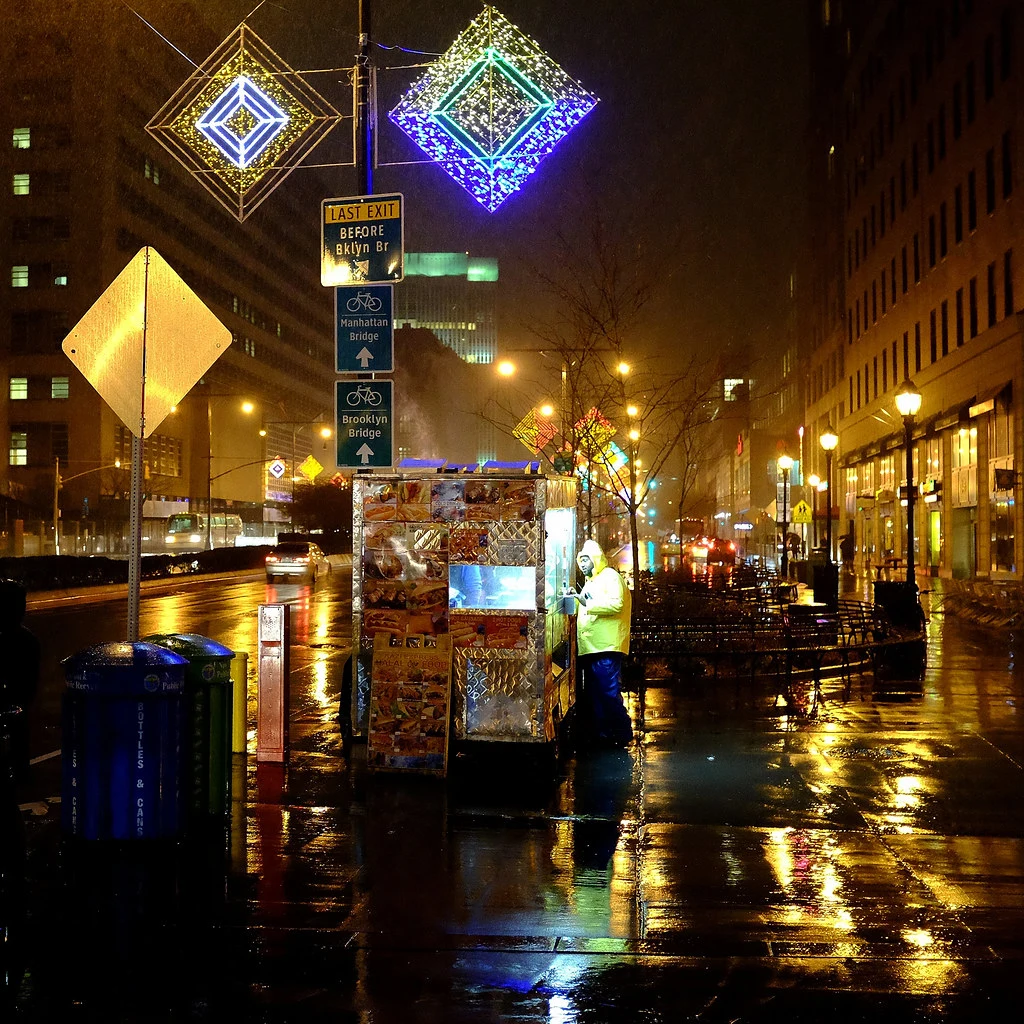
Source image before the rain to snow scene rewrite edit
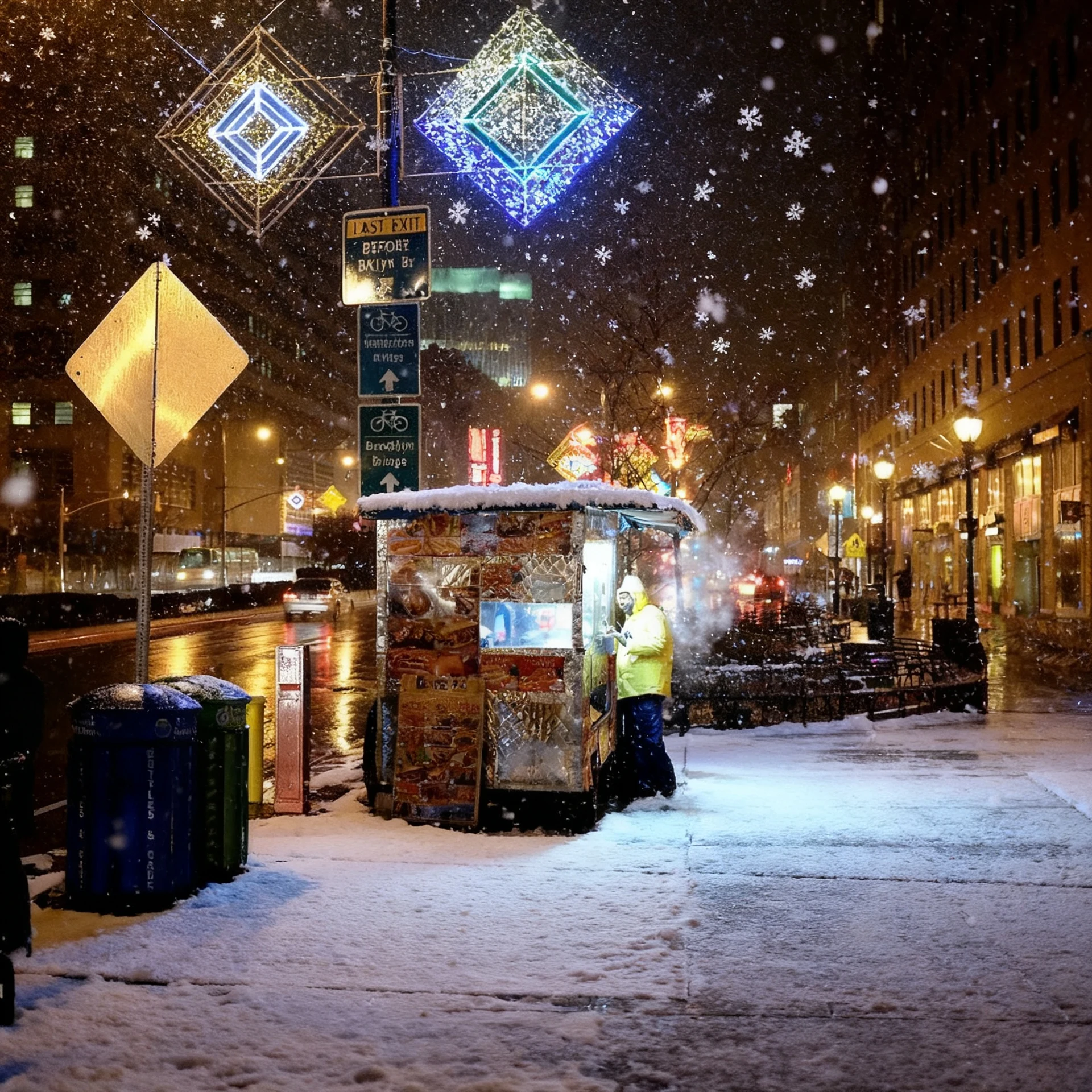
Night street photo rewritten as a snowy winter evening by Seedream V4 Edit with the composition preserved

scene rewrite — signature strength

Rain to snow scene rewrite

Prompt: Rewrite this rainy night street as a snowy winter evening: falling snowflakes, a thin layer of snow on the pavement and cart awning, the same neon signs glowing through the snowfall, breath-visible cold air feel, wet reflections replaced by soft snow-muffled light. Keep the street layout, the food cart, the sign positions, and the composition exactly the same.

Source: Steven Pisano — CC-BY 2.0 via Flickr.
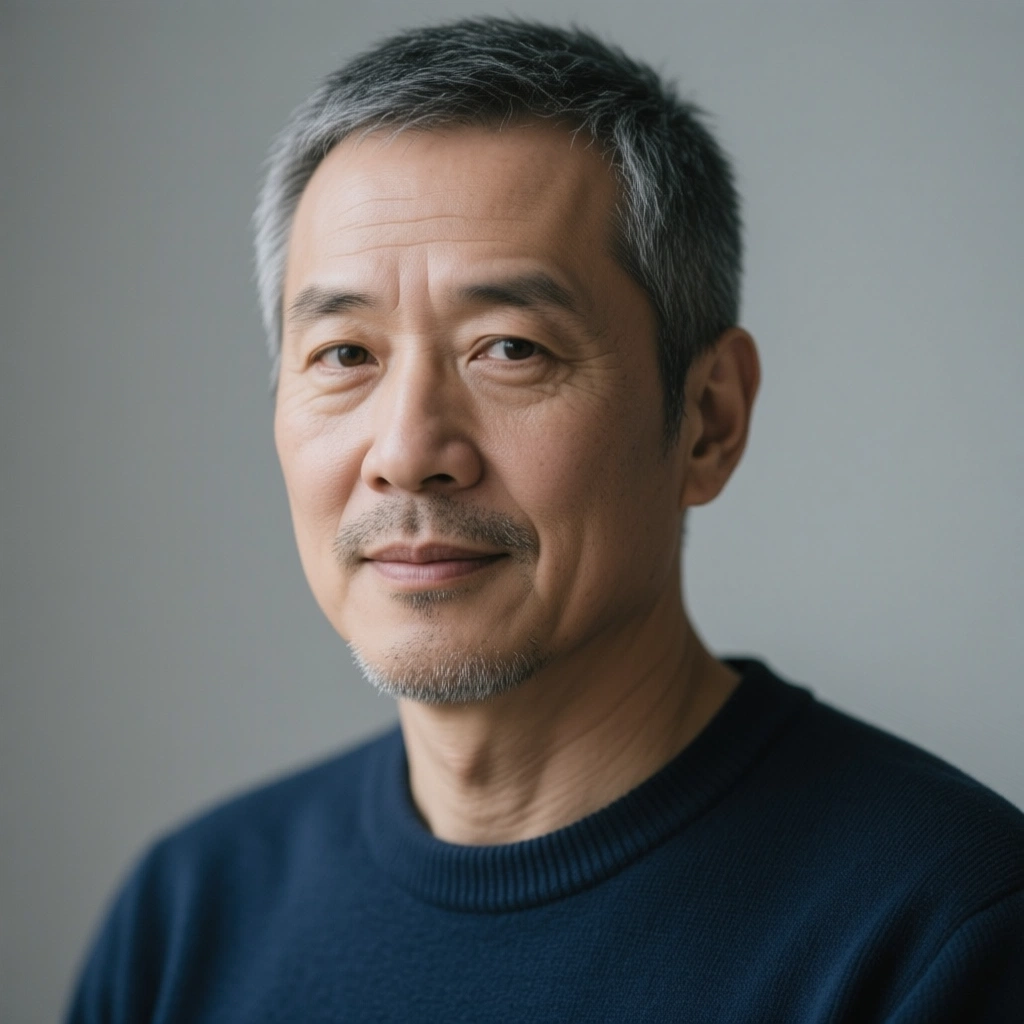
Source image before the photo to oil painting edit
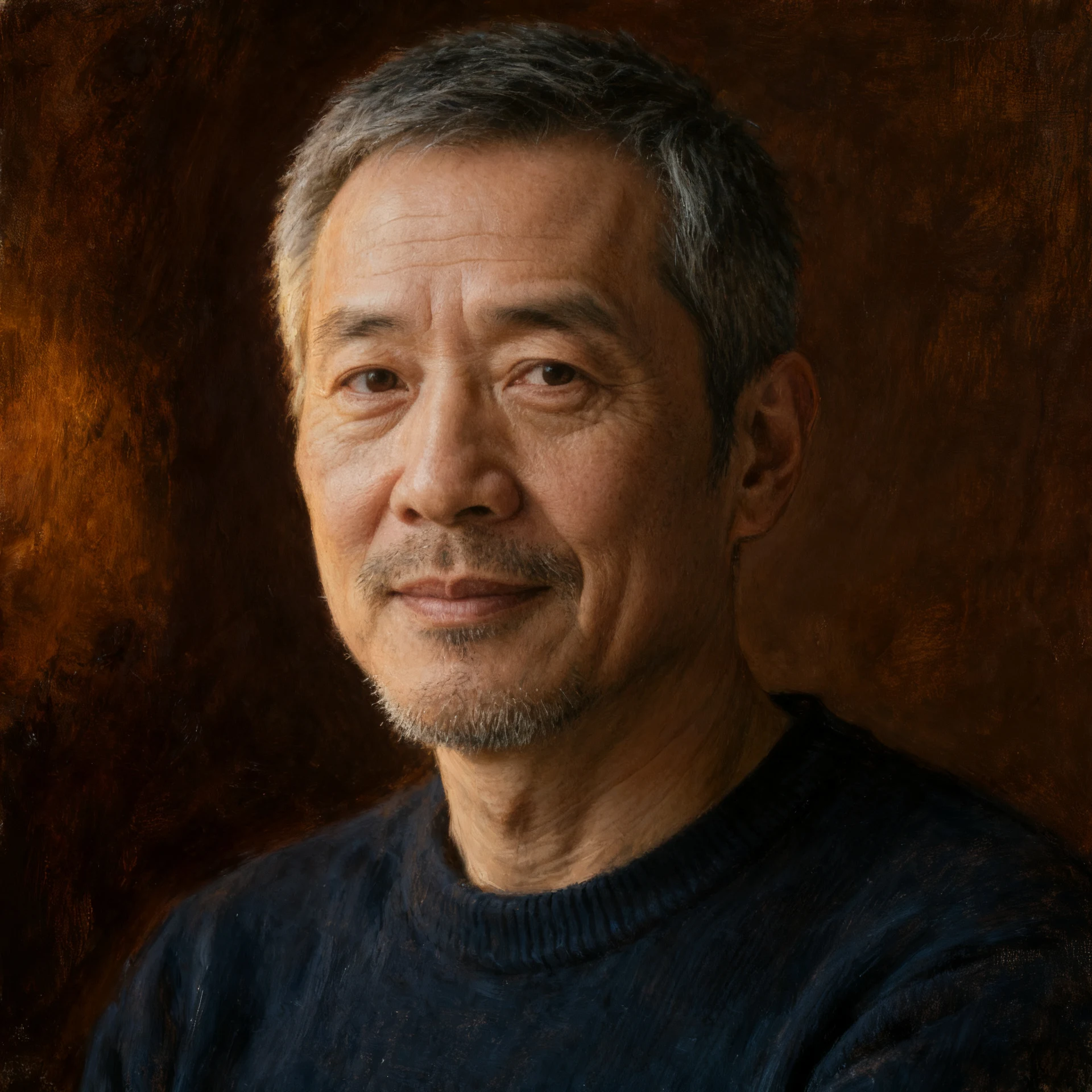
Studio portrait restyled as a classical oil painting by Seedream V4 Edit with the likeness preserved

style transfer

Photo to oil painting

Prompt: Repaint this studio portrait as a classical oil painting: visible canvas weave, confident brushstrokes in the background, rich warm skin tones, soft Rembrandt-style lighting from the left, a deep umber background. Keep his face, gray hair, stubble, navy sweater, pose, and expression clearly recognizable as the same man.

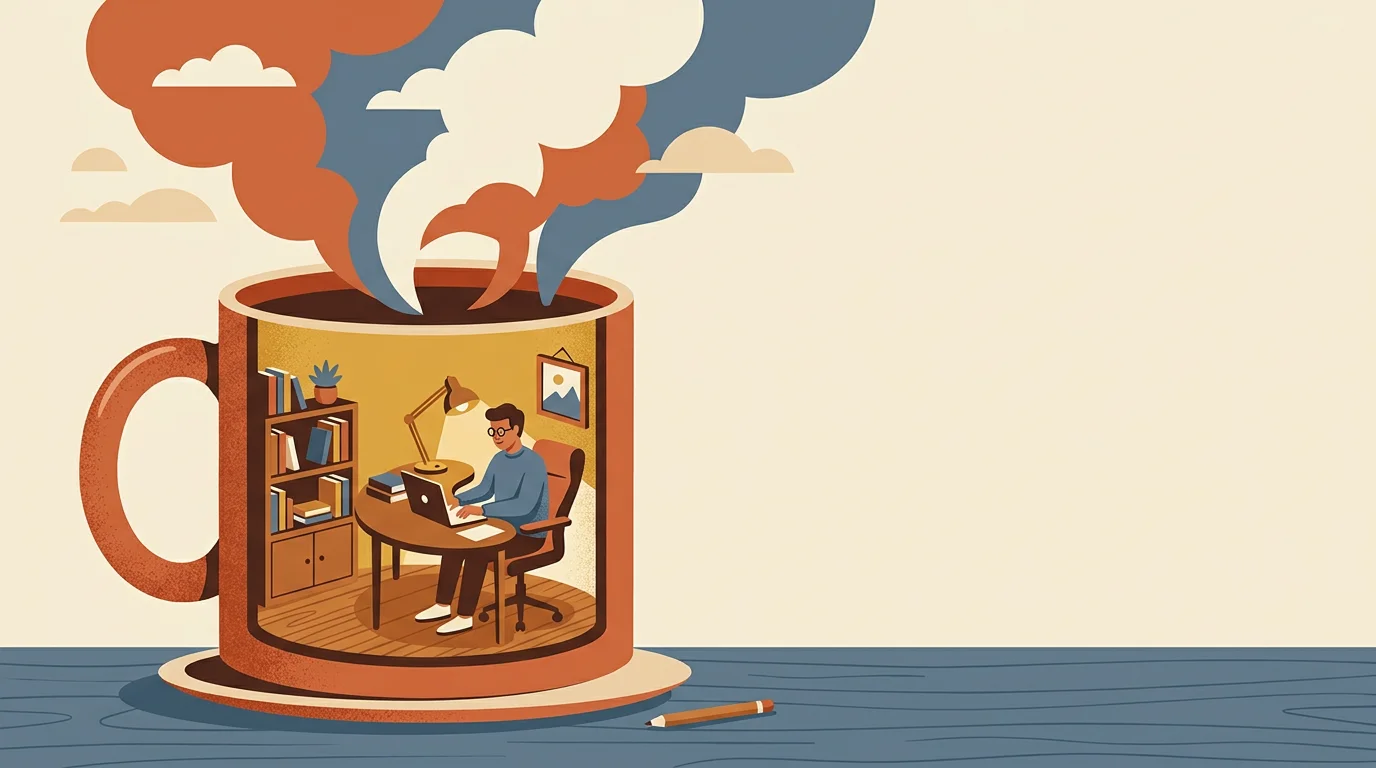
Source image before the illustration to risograph print edit
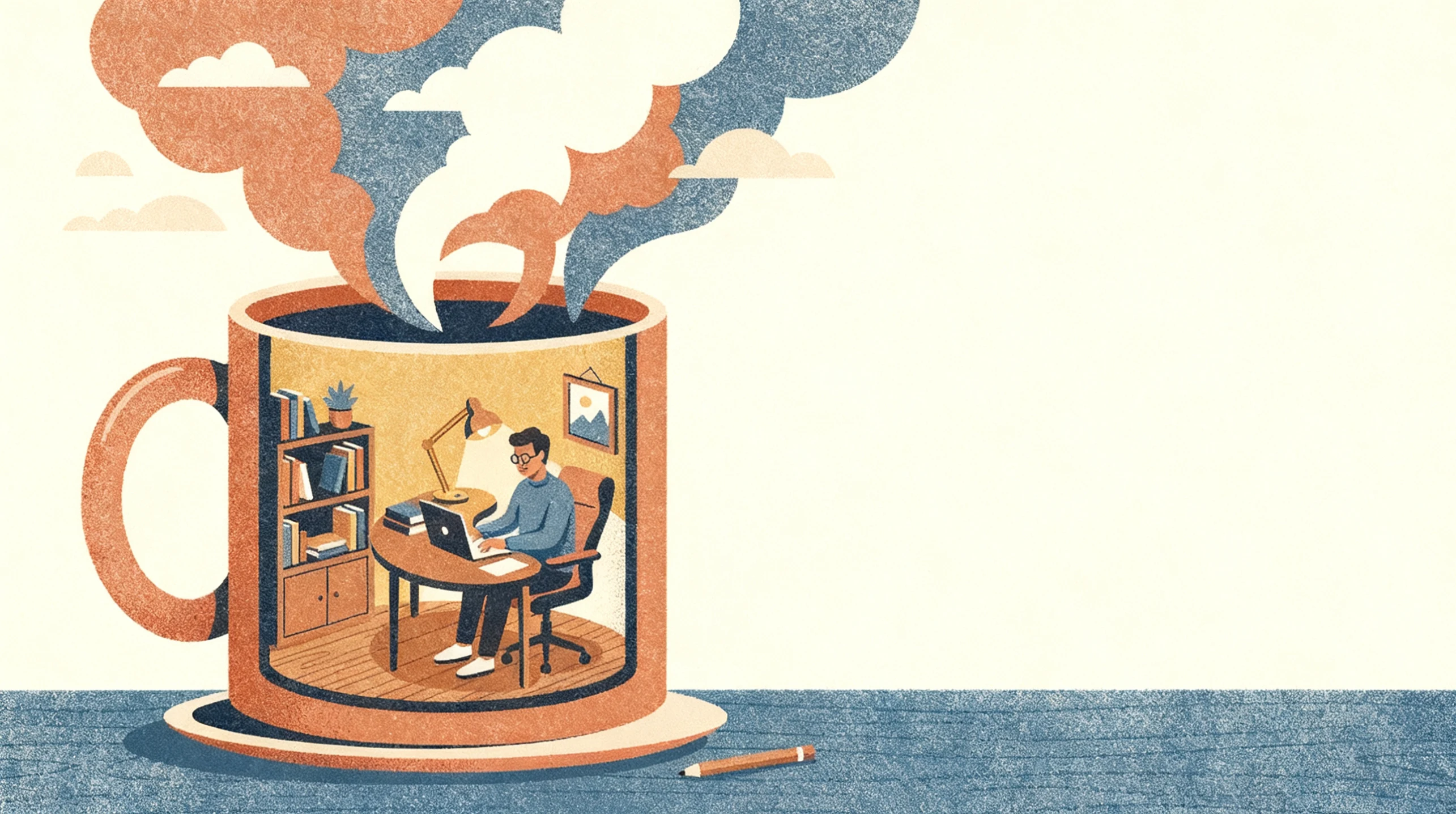
Remote-work illustration restyled as a two-color risograph print by Seedream V4 Edit

style transfer

Illustration to risograph print

Prompt: Restyle this flat illustration as a two-color risograph print: overprint texture, slight ink misregistration, grainy dithering, a terracotta and slate-blue ink palette on off-white paper. Keep the composition — person with laptop inside the giant mug, bookshelf and lamp, steam clouds, negative space on the right — exactly the same.

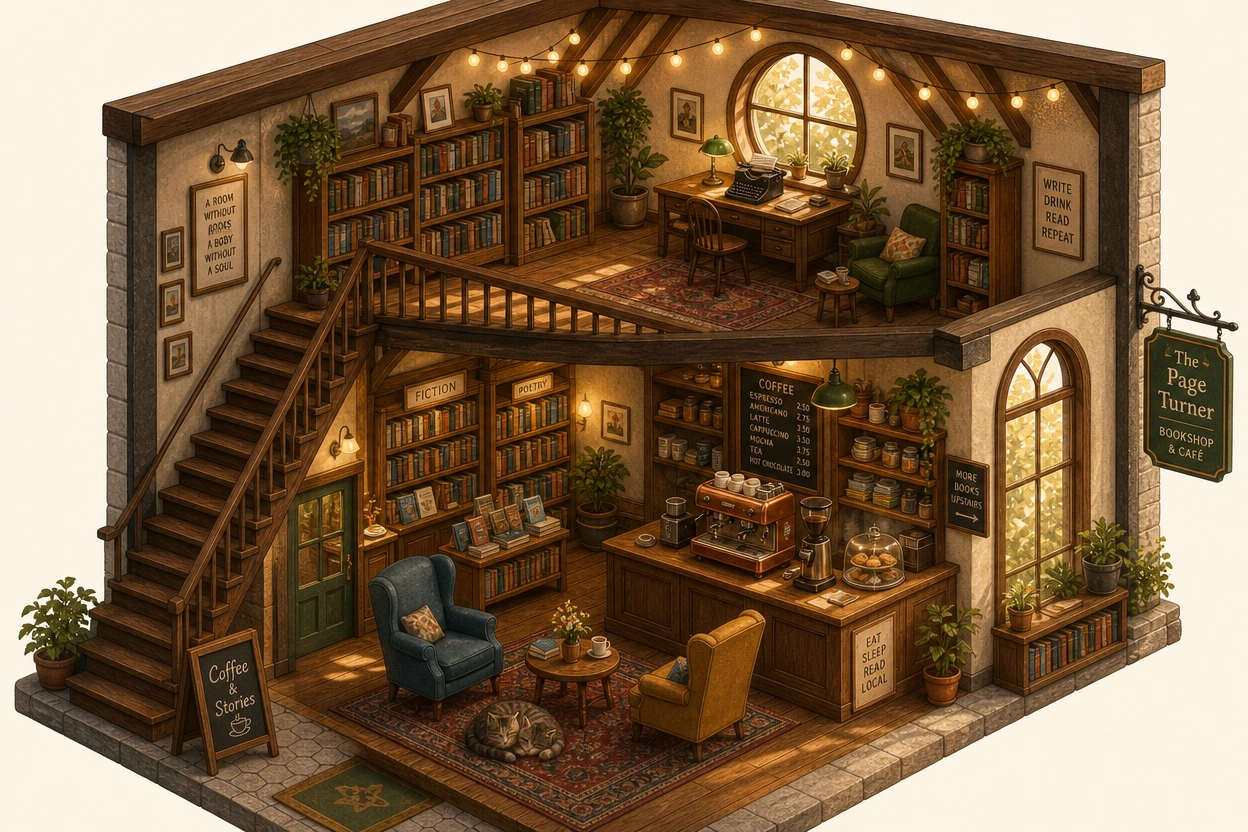
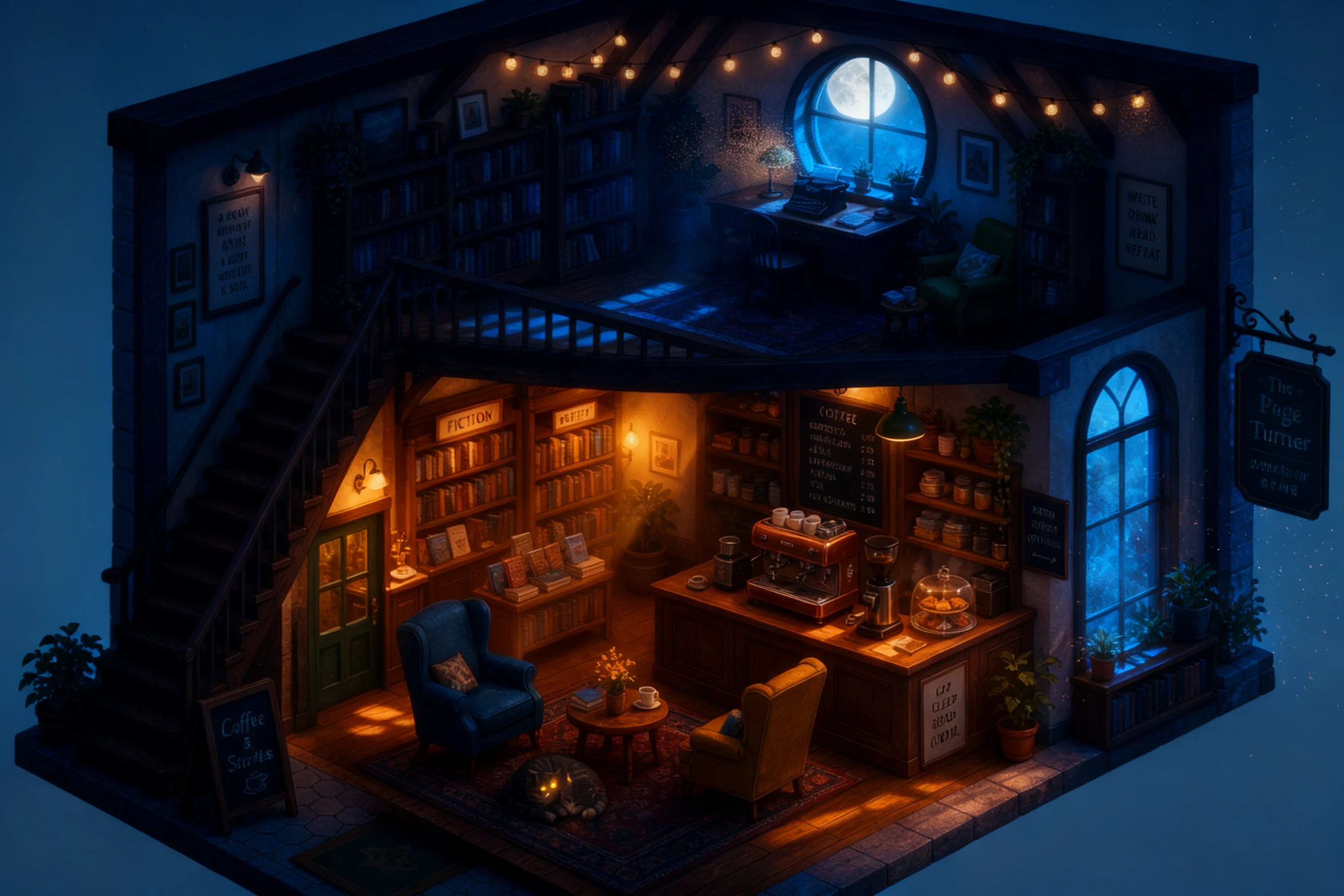
Source image before the cozy bookshop to midnight mystery edit
Isometric bookshop illustration rewritten as a midnight scene by Seedream V4 Edit with the layout preserved

scene rewrite

Cozy bookshop to midnight mystery

Prompt: Rewrite this cozy bookshop café as a mysterious midnight scene: warm lamps dimmed to pools of amber light, moonlight through the tall windows, dust motes in the beams, the cat awake with glowing eyes, deep blue shadows between the shelves. Keep the isometric cutaway structure, both floors, the staircase, the furniture positions, and every room element readable in the same places.

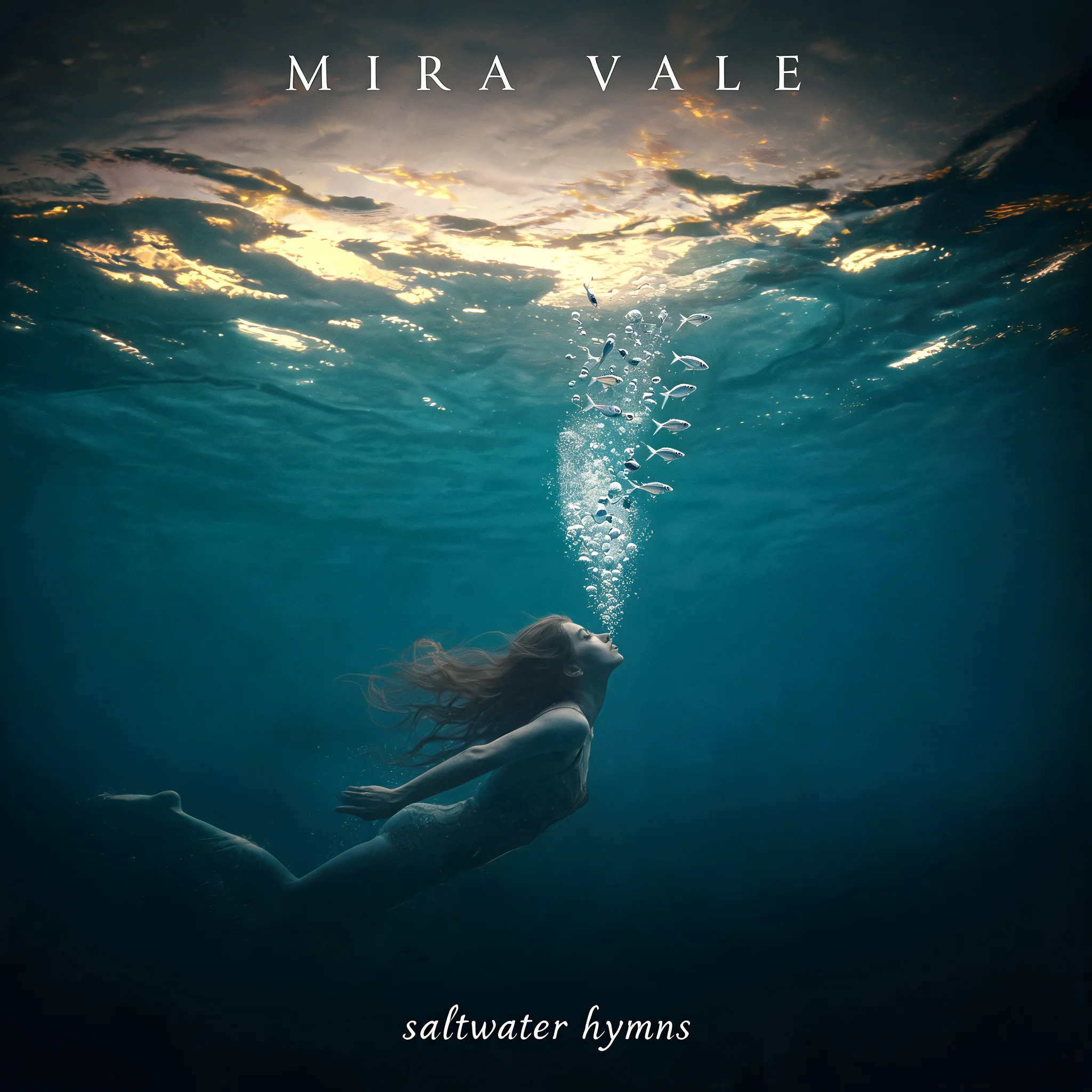
Source image before the album art cosmic rewrite edit
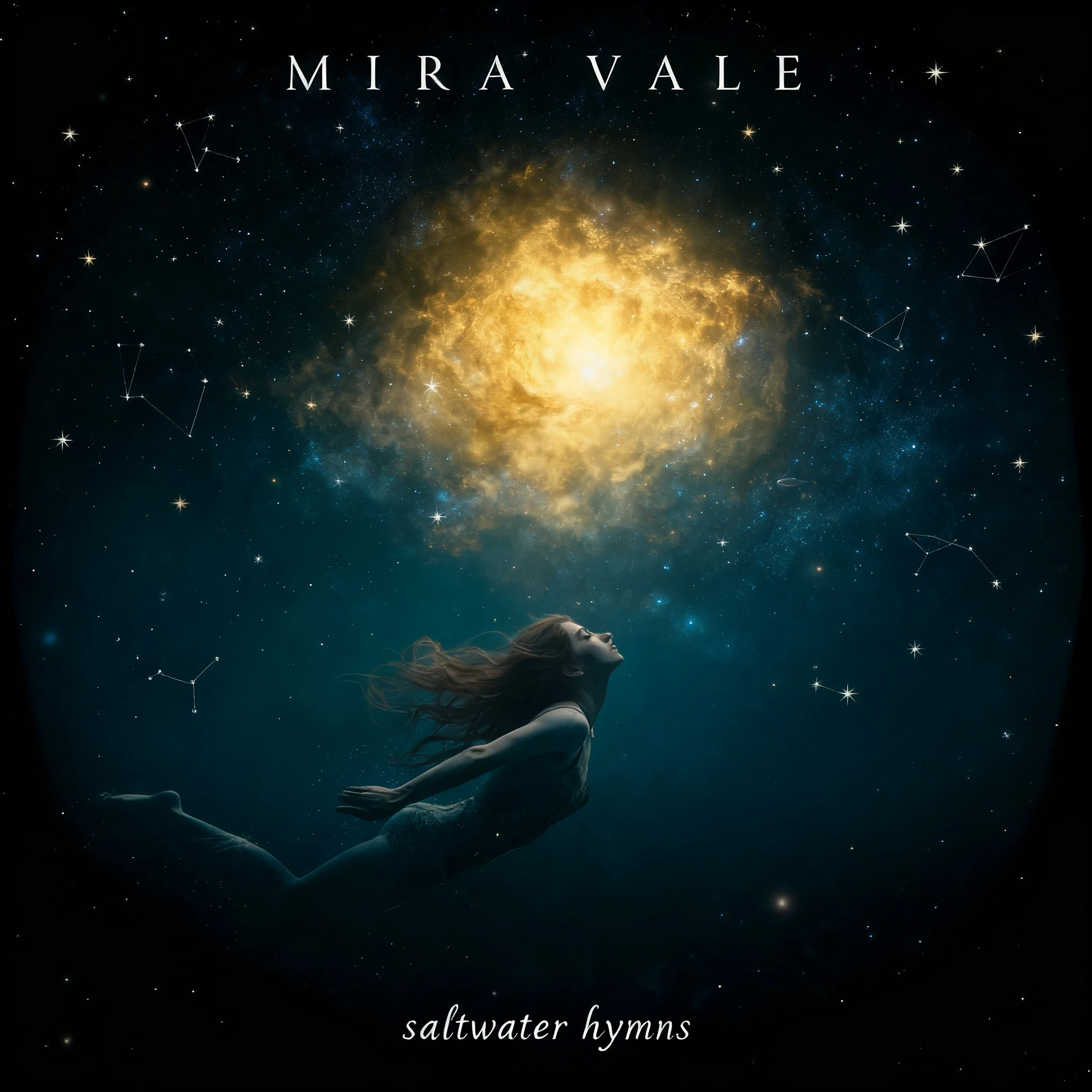
Album cover creatively rewritten by Seedream V4 Edit from an underwater scene to a cosmic nebula with typography preserved

creative edits

Album art cosmic rewrite

Prompt: Rewrite the underwater scene as a cosmic nebula version: the swimmer drifting through deep space toward a glowing golden nebula, the silver fish becoming tiny stars and constellations, deep teal fading to black at the edges. Keep the square composition, the swimmer's pose and direction, and the typography — "MIRA VALE" at the top and "saltwater hymns" at the bottom — exactly the same and legible.

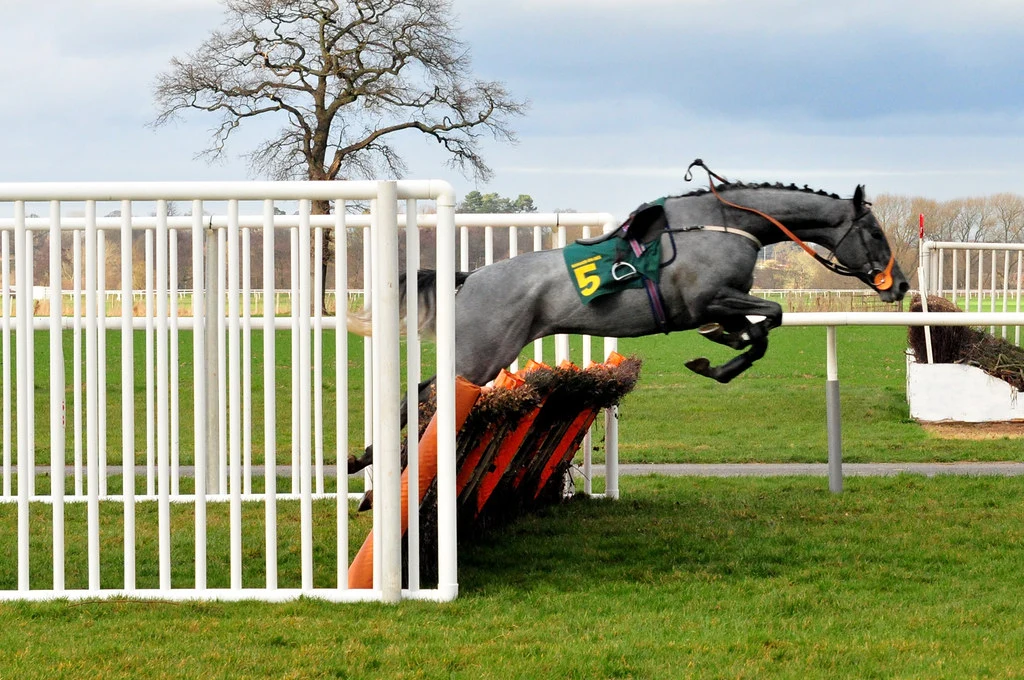
Source image before the action photo to vintage racing poster edit
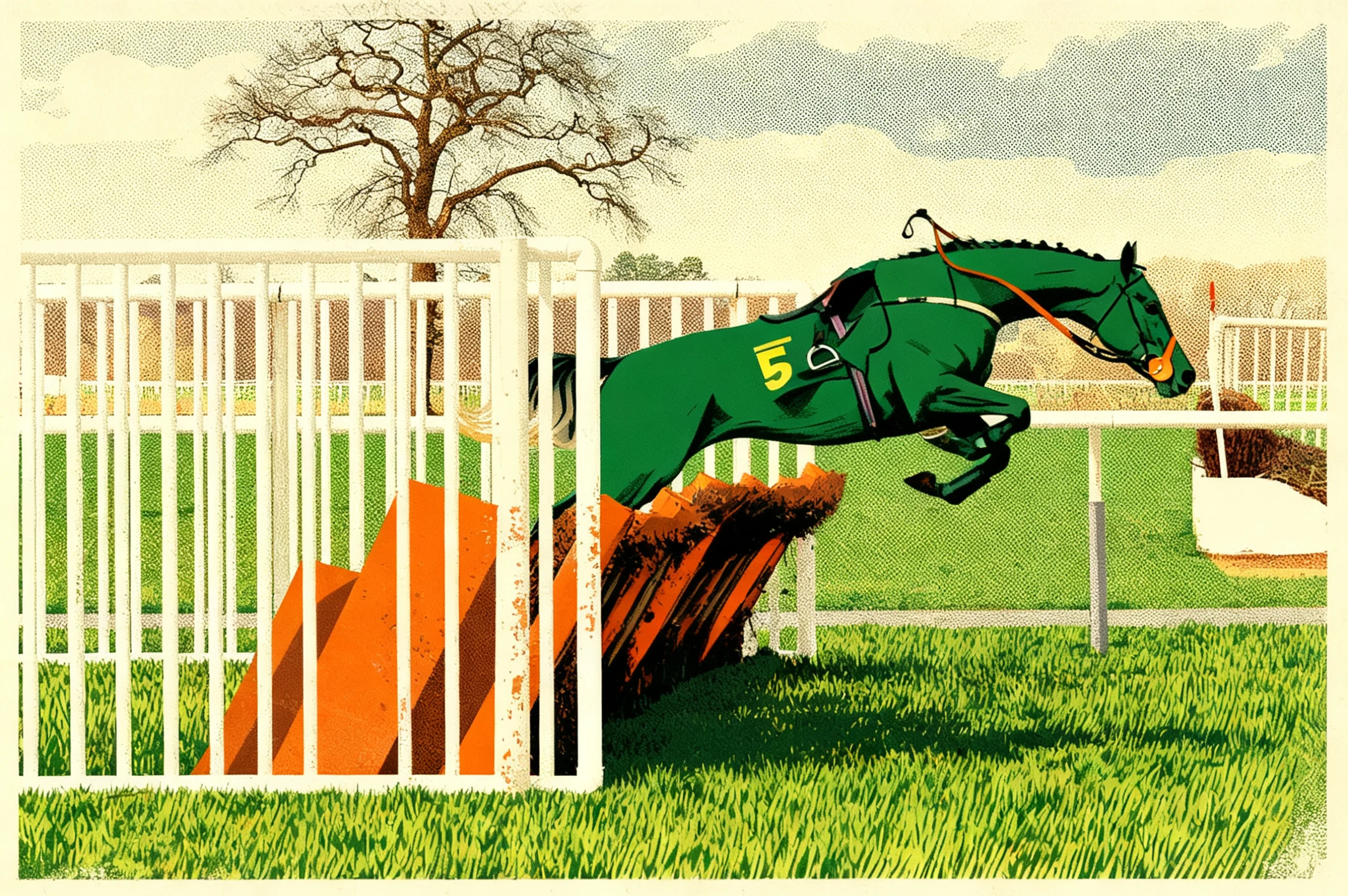
Racehorse photo creatively restyled as a vintage screen-print racing poster by Seedream V4 Edit

creative edits

Action photo to vintage racing poster

Prompt: Restyle this racehorse photo as a bold vintage screen-print racing poster: flat ink colors, visible halftone grain, a limited palette of racing green, cream, and burnt orange, the number-5 horse and fence rendered as graphic shapes with a slightly distressed texture. Keep the horse's jumping pose, the fence position, and the overall composition clearly recognizable.

Source: Paolo Camera — CC-BY 2.0 via Flickr.

What does Seedream V4 Edit bring to editorial work?

Seedream V4 Edit applies ByteDance's Seedream V4 generation engine to existing images, and it carries that family's poster sensibility with it: the model understands layout, styling, and the role type plays in a frame. Ask it to swap a headline, restyle a set, or redress a model, and the result reads like a retouched original rather than a patched composite.

On RenderFlow AI, the canvas accepts up to four reference images, outputs at any size from 1024 to 4096 pixels per side (2048 default), and offers a Max Images control from 1 to 14 for pulling several variations from one instruction — all at 5 credits per image.

The case for Seedream V4 Edit on campaign and editorial work

Text in the frame stays typeset. Seedream V4 Edit inherits the V4 family's feel

Text in the frame stays typeset. Seedream V4 Edit inherits the V4 family's feel for typography, so changing the words on a poster, cover, or package shot keeps them set in a matching face and weight. Quote the exact copy and describe the type style for the cleanest swaps.

Art direction survives the retouch. Lighting logic, color grading, and composition carry through scene and styling changes, which is what editorial work needs: the winter version of a campaign frame still belongs to the same campaign.

Art direction survives the retouch. Lighting logic, color grading, and composition carry through scene and styling changes, which is what editorial work needs: the winter version of a campaign frame still belongs to the same campaign.

Canvases sized to real placements. Output runs from 1024 to 4096 pixels per side, so a retouched hero can ship to a high-resolution slot without an upscaling detour — and a 1024 draft costs the same 5 credits while the layout is being approved.

Canvases sized to real placements. Output runs from 1024 to 4096 pixels per side, so a retouched hero can ship to a high-resolution slot without an upscaling detour — and a 1024 draft costs the same 5 credits while the layout is being approved.

References steer the look. Up to four inputs let an art director attach alternate angles, a palette card, or a logo lockup alongside the hero frame, giving the model concrete material to match instead of hoping the prompt covers it.

References steer the look. Up to four inputs let an art director attach alternate angles, a palette card, or a logo lockup alongside the hero frame, giving the model concrete material to match instead of hoping the prompt covers it.

Retouching briefs Seedream V4 Edit was built for

  • AI photo editing
  • Product image variation
  • Background replacement
  • Portrait retouching and restyling

Producing a publishable retouch with Seedream V4 Edit

Upload the hero frame and its references

Start with the image that carries the art direction, then enable Inputs 2–4 for supporting material — alternate product angles, a palette reference, a logo lockup. The model matches what it can see, so concrete references beat longer descriptions.

Write the instruction like a retouching brief

State what changes, what must stay, and quote any copy verbatim: "change the headline to 'AUTUMN EDIT', keep the model, the set, and the grade." Layout-aware edits respond to position words like top-left, second line, or behind the subject.

Set Size to the placement, not the default

Width and height run independently from 1024 to 4096 pixels, with 2048×2048 as the starting point. Drop toward 1024 while layouts are being approved, then render the final at the dimensions the hero slot or placement actually requires.

Use Max Images to pull a variation set

Raise the Max Images slider above 1 and say the count in the prompt — "create three crop variations of this layout" — to collect options from a single instruction instead of re-running the same brief by hand.

Route plain fixes to SeedEdit V3 instead

When the job is a simple object removal or background cleanup with no text or layout at stake, SeedEdit V3 does it for 4 credits. Save Seedream V4 Edit for frames where the editorial look and the type matter.

Frequently Asked Questions

What output sizes does Seedream V4 Edit support?

Width and height are set independently anywhere from 1024 to 4096 pixels, with a 2048×2048 default. That range covers everything from quick approval drafts to high-resolution hero placements without a separate upscaler.

Can Seedream V4 Edit change the words on a poster or package?

Yes — text-aware editing is a family strength. Quote the exact replacement copy, describe the type style ("same condensed sans, all caps"), and keep strings short; the model resets the words in a matching treatment rather than pasting them on.

What does the Max Images slider do?

It sets how many edited results one run may return, from 1 to 14. State the number you want in the prompt as well — for example, "generate 4 layout variations" — so the instruction and the slider agree, then pick the strongest of the set.

How many reference images can I attach to an edit?

The canvas accepts up to four inputs: the frame being retouched plus three optional references. Use them for alternate angles, palette or style targets, and brand assets the edit must incorporate.

Should I use Seedream V4 Edit or SeedEdit V3?

SeedEdit V3 (4 credits) is the everyday repair tool — removals, background swaps, quick cleanups on single photos. Seedream V4 Edit (5 credits) is the editorial tool: text-aware changes, multi-reference art direction, and output sizes up to 4096 pixels for frames that ship to placements.

Why did my edited text come out almost right but not exact?

Long strings, unusual letterforms, and very small type are the hard cases for any image editor. Shorten the copy, name a common type style, and give the text more room in the frame; pinning the Seed once you are close lets you retry without losing the layout you liked.