Alibaba Production-Grade Image Editor

Qwen Image Edit Plus: Packaging Edits That Survive the Pre-Press Check

The 20B bilingual editing tier for production work — label swaps, layout-precise changes, and exact-size output for the slot the asset has to fill.

4 credits per image.By Alibaba

AI Image Editor

Model Settings

Alibaba4 credits per image.

A higher-capacity Qwen editing option for multi-image inputs and source preservation.

Enable
Enable

Your generated image will appear here.

Enter a prompt and click 'Generate' — or start from an example:

Examples

Qwen Image Edit Plus before and after examples

Drag the handle to compare each source and result, or open the viewer for a closer look.

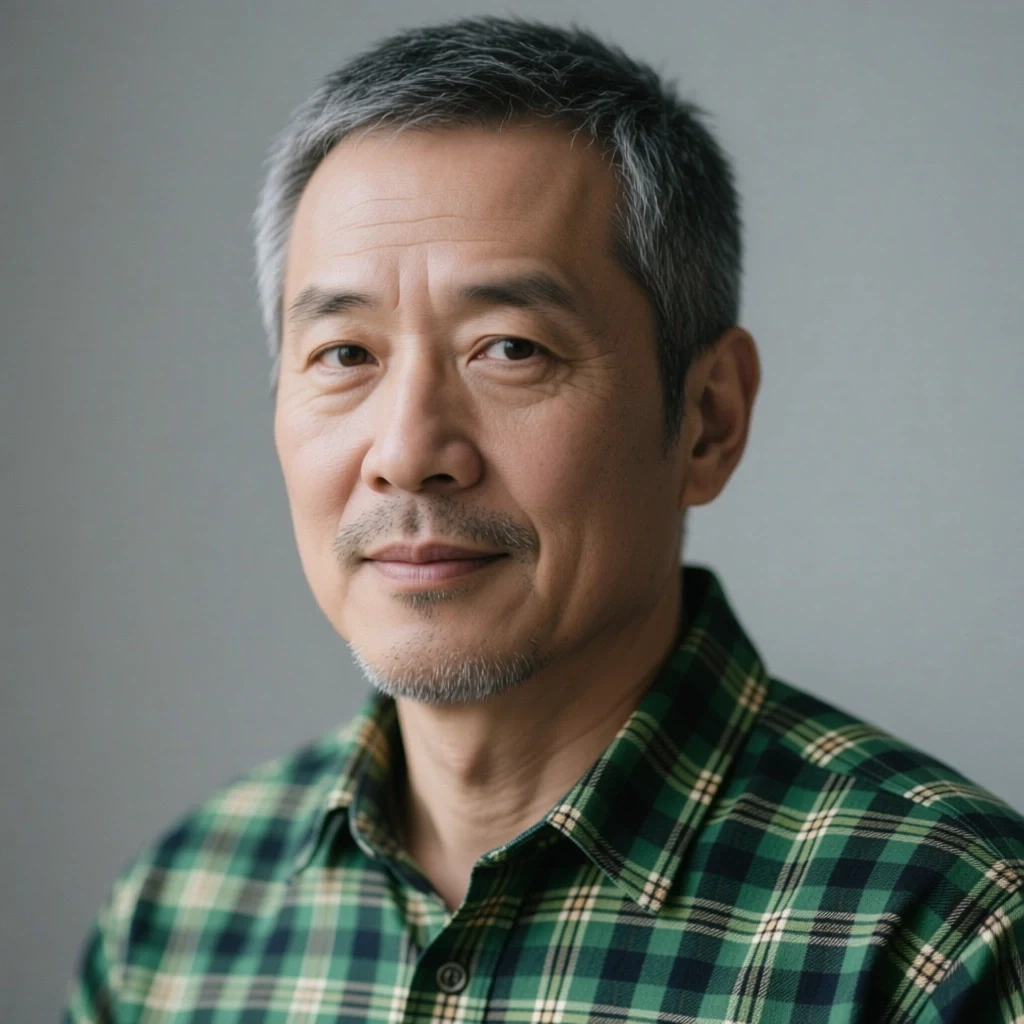
Source image before the label artwork onto product edit
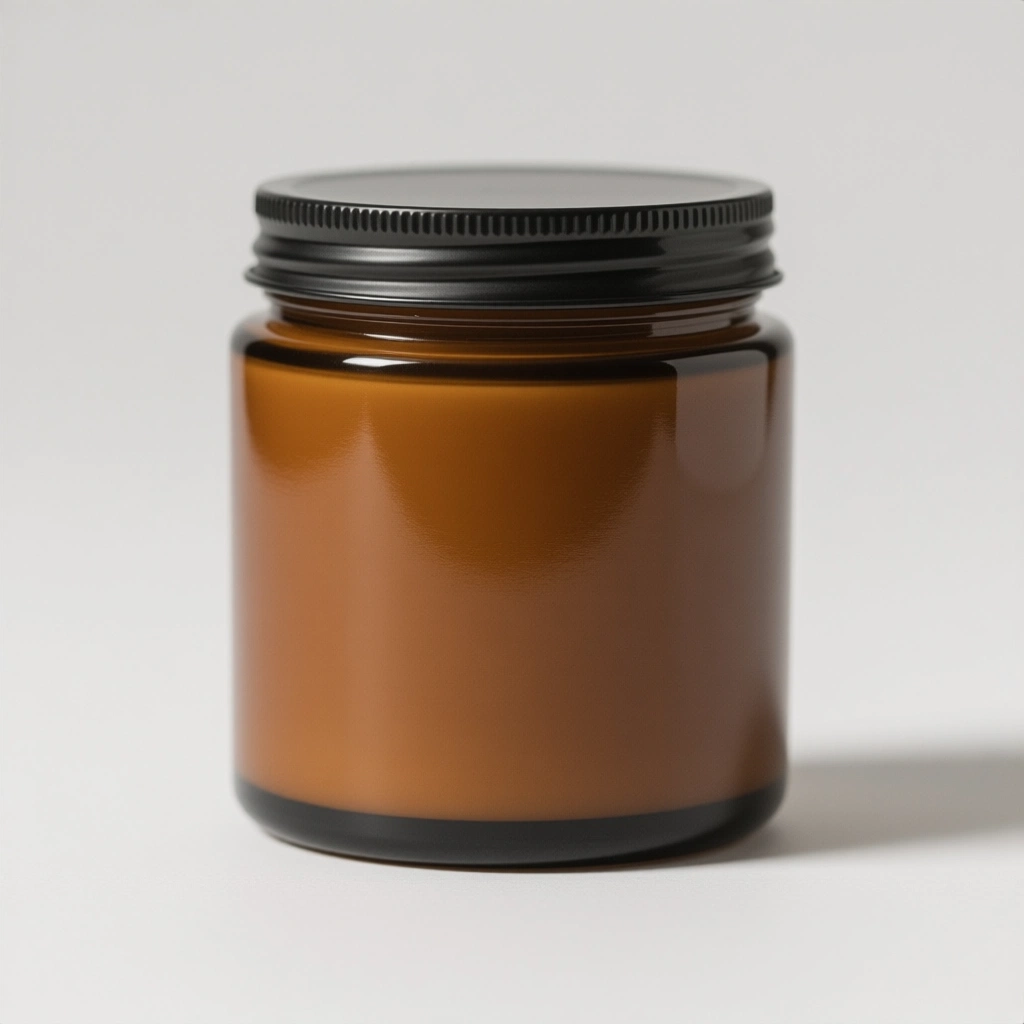
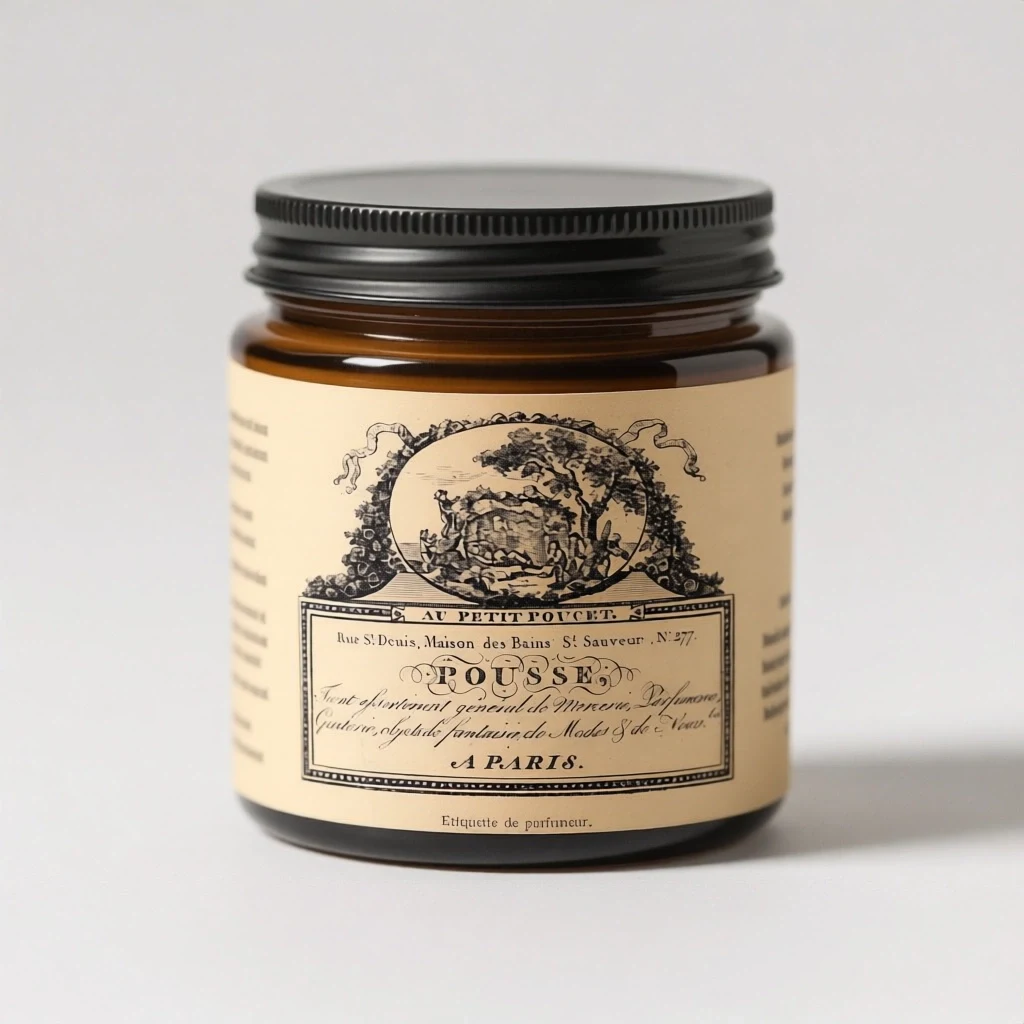
Candle jar product photo with a vintage label applied by Qwen Image Edit Plus using two reference images

object merge

Label artwork onto product

Prompt: Apply the vintage label design from the second image onto the candle jar in the first image, wrapping it naturally around the jar's curve with correct perspective, soft paper texture, and the studio lighting falling consistently across it. Keep the jar's shape, amber glass, lid, and background exactly the same, and keep all label text and artwork readable.

Source: Double--M — CC-BY 2.0 via Flickr.
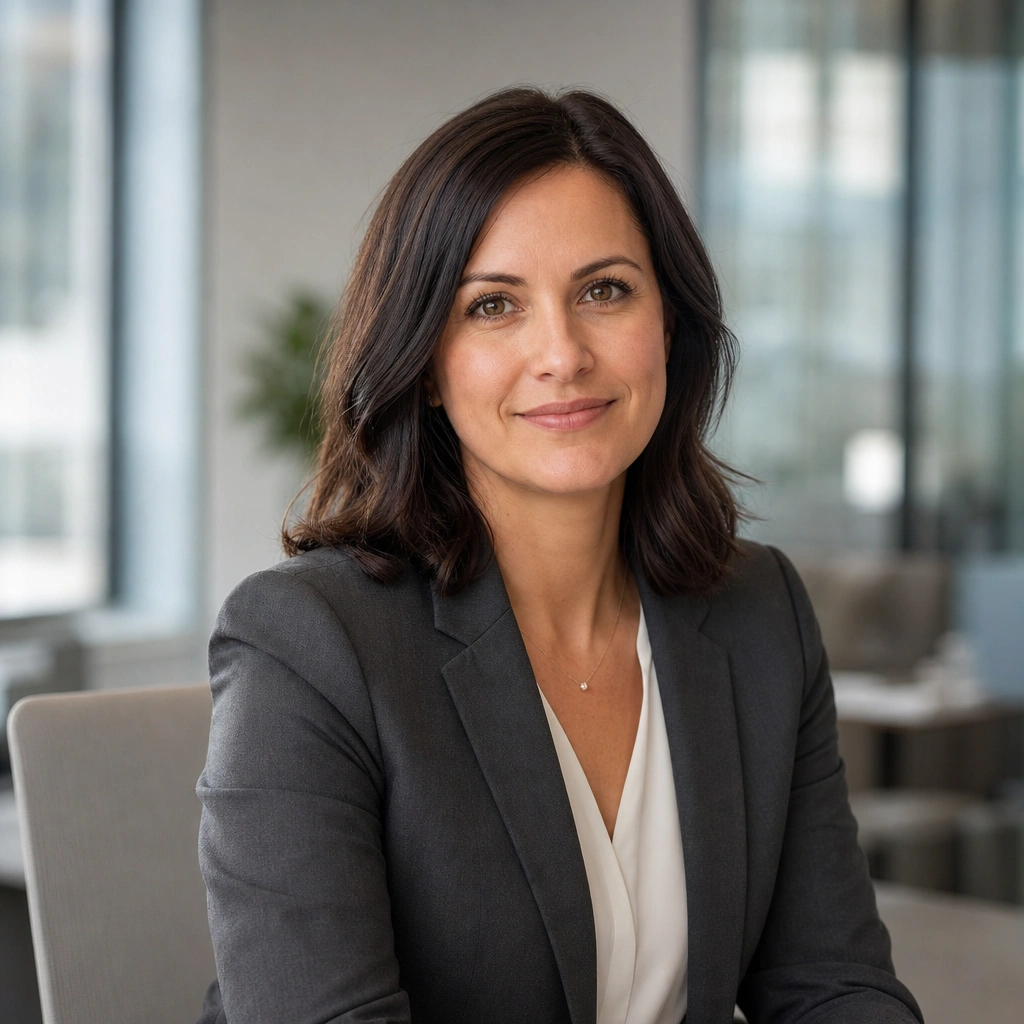
Source image before the person into scene edit
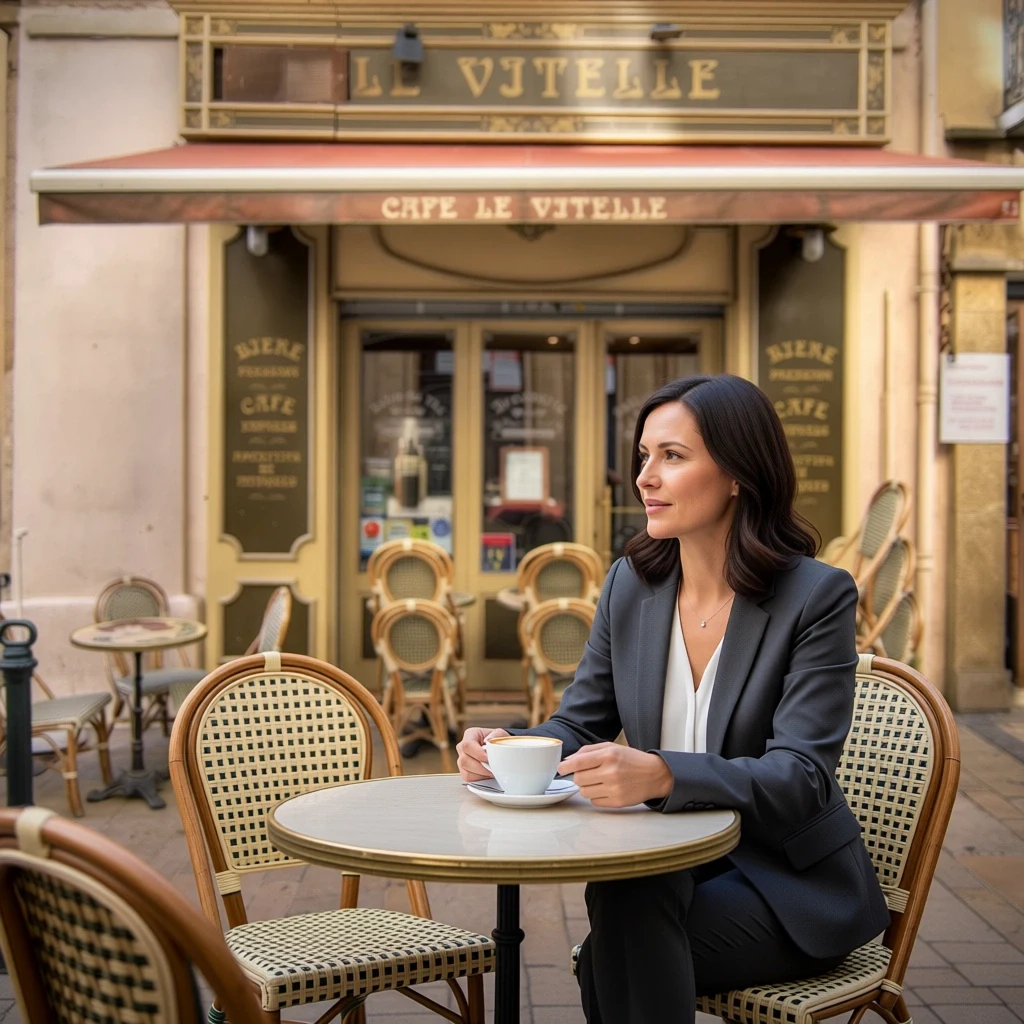
Professional portrait merged into a café street scene by Qwen Image Edit Plus with identity and lighting consistent

object merge, identity preserved

Person into scene

Prompt: Place the woman from the first image sitting at one of the rattan tables in front of the café in the second image, as if mid-conversation over a coffee. Match the daylight direction and color temperature of the street scene, add a natural soft shadow at her chair, and keep her face, hairstyle, and blazer exactly as in the original portrait so she is unmistakably the same person.

Source: decar66 — CC-BY 2.0 via Flickr.

Source image before the product into night scene edit
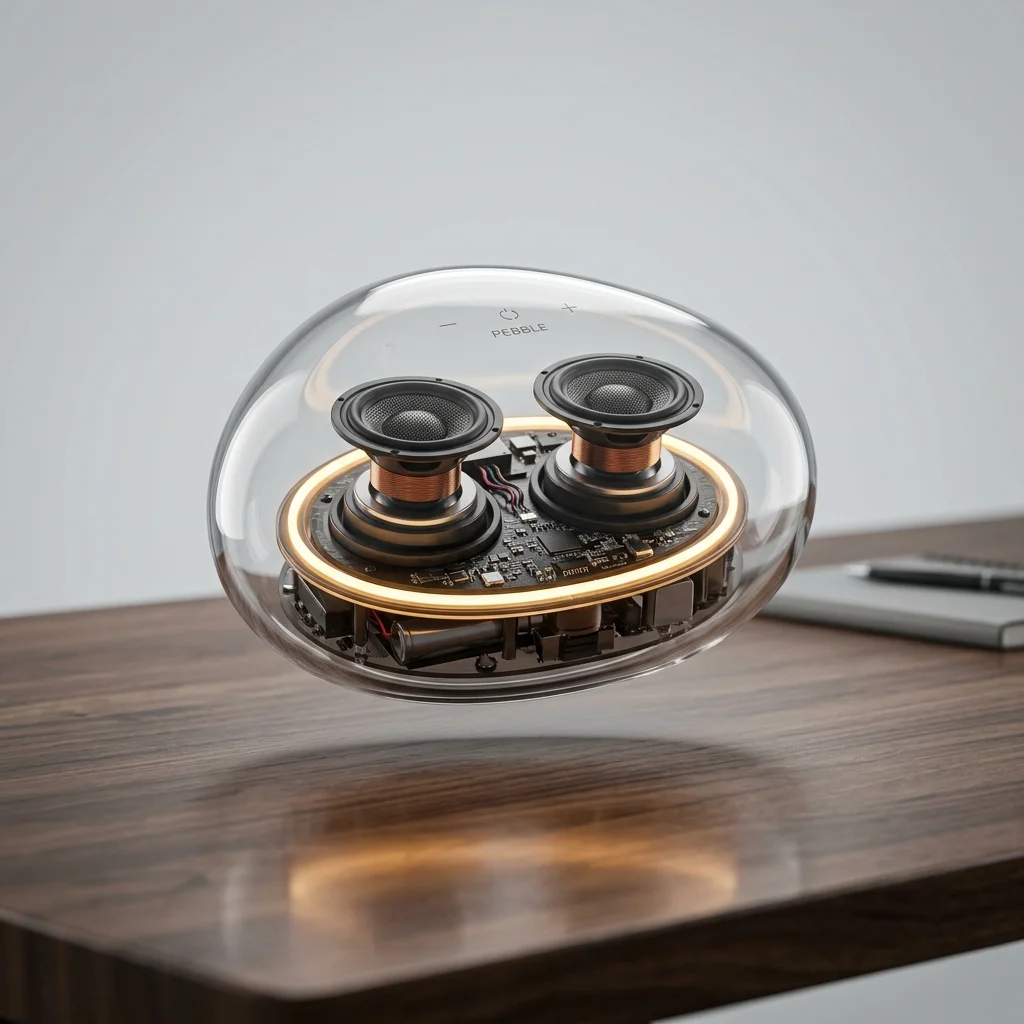
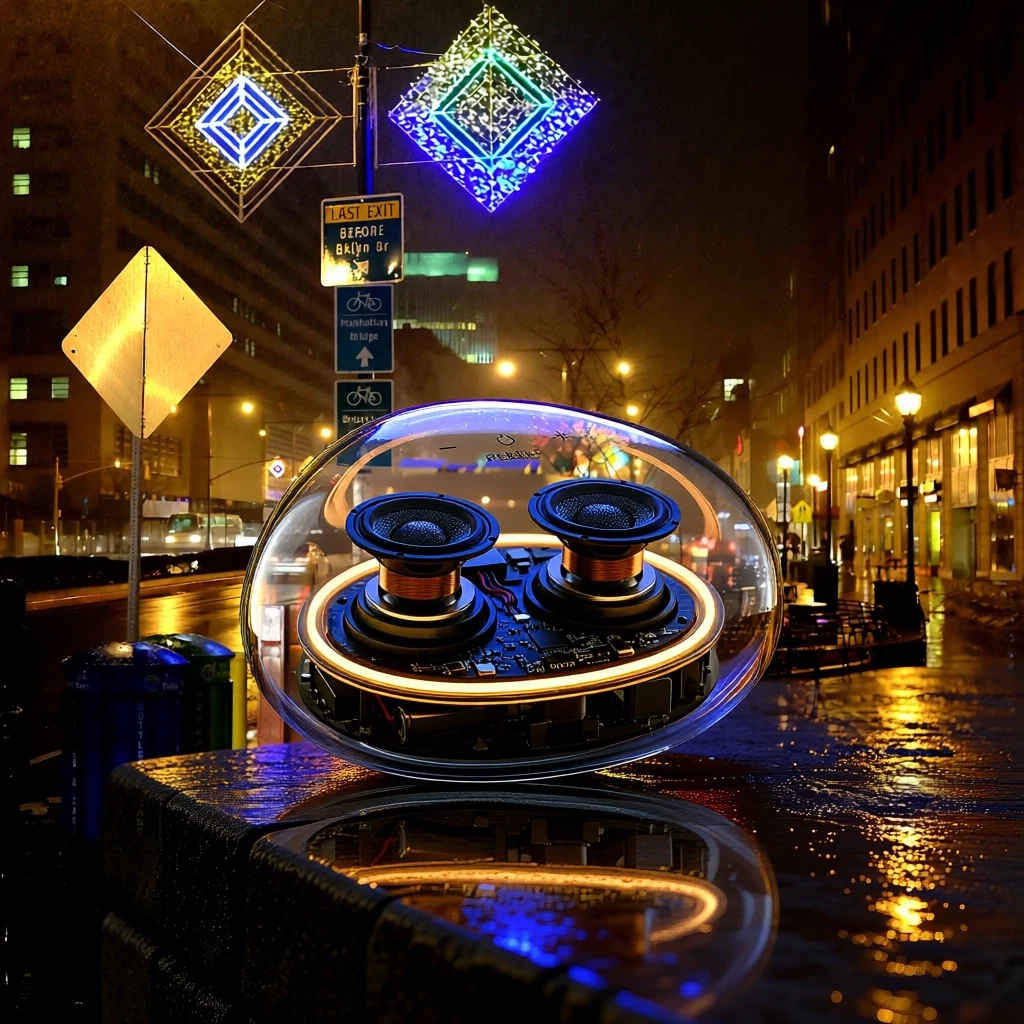
Transparent speaker composited into a rainy neon night street by Qwen Image Edit Plus from two images

object merge

Product into night scene

Prompt: Place the transparent pebble speaker from the first image on a rain-wet stone ledge in the night street scene from the second image. Match the ambient neon lighting, add colored reflections on the wet stone around the speaker, and keep the speaker's shape, transparency, internal drivers, and LED ring exactly as in the product shot.

Source: Steven Pisano — CC-BY 2.0 via Flickr.

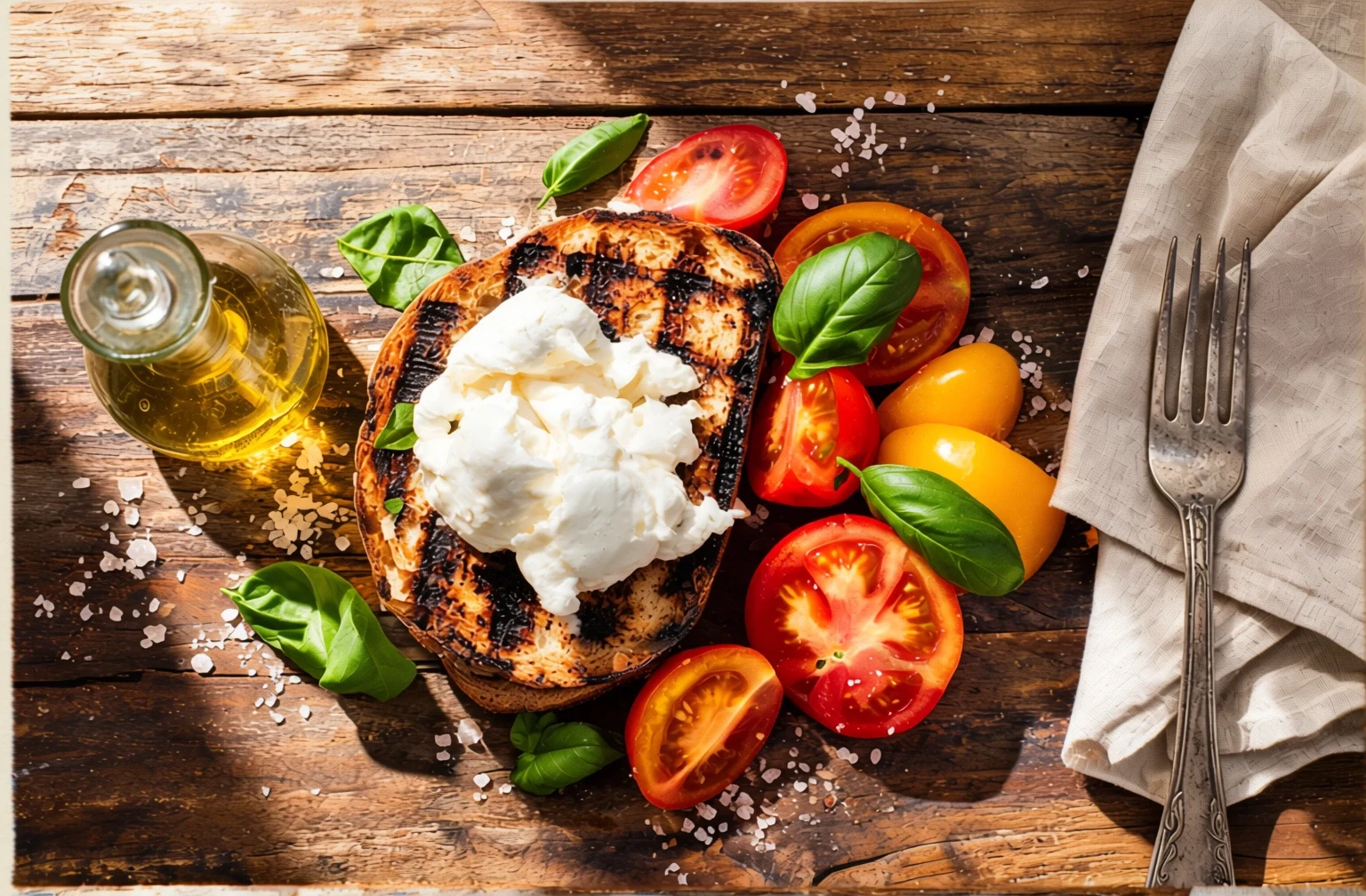
Source image before the style reference transfer with composition preserved edit
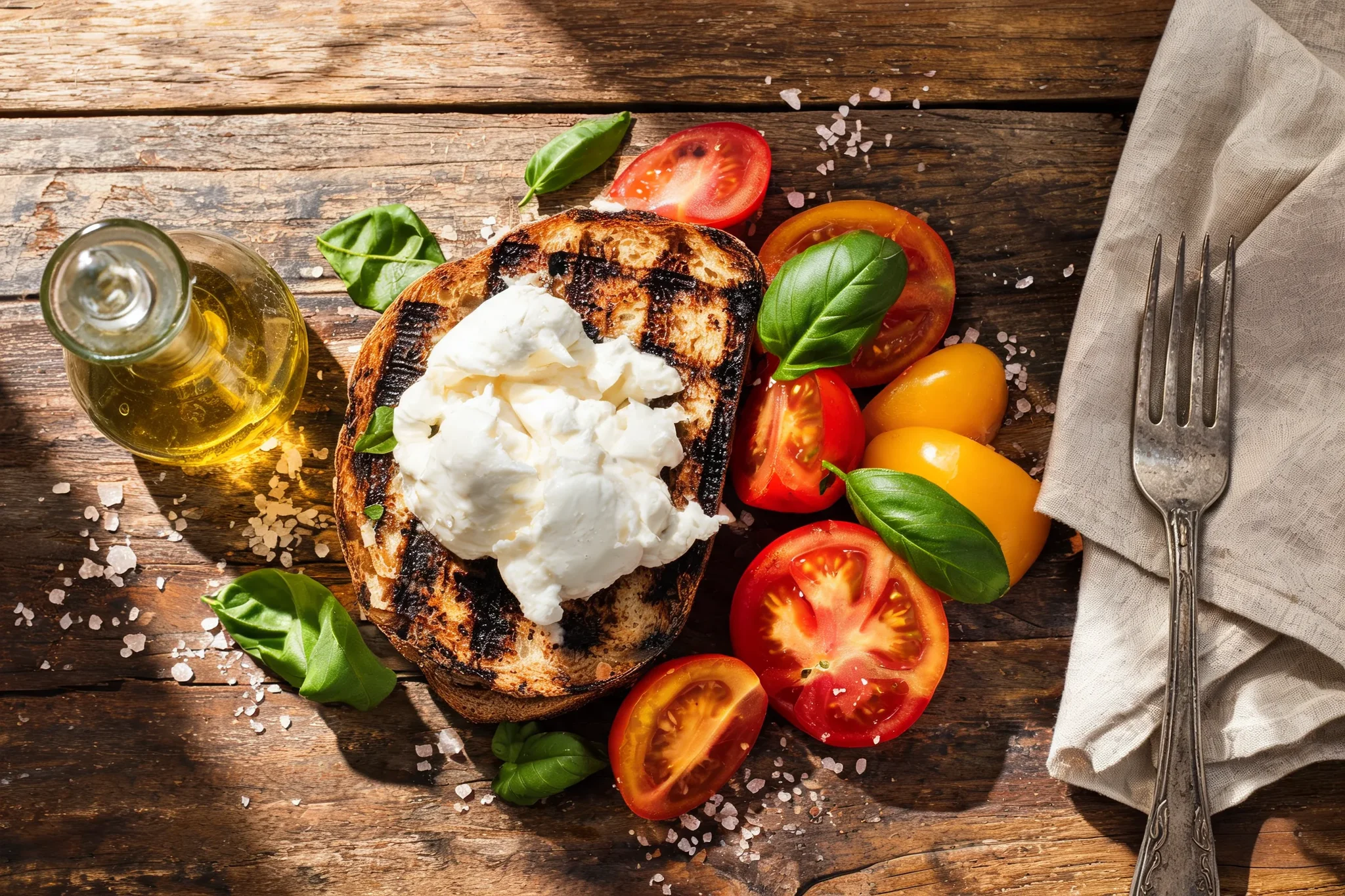
Overhead lunch photo repainted as a watercolor by Qwen Image Edit Plus using a style reference while preserving the composition

source preservation

Style reference transfer with composition preserved

Prompt: Repaint the overhead lunch photo from the first image in the loose watercolor style of the second image: visible paper texture, soft pigment bleeds, hand-painted edges, the same muted blue-and-ochre tonality. Preserve the exact composition of the first image — toast with burrata centered, tomatoes and basil right, carafe left, napkin and fork at the edge.

Source: rawpixel — CC-BY 2.0 via Flickr.

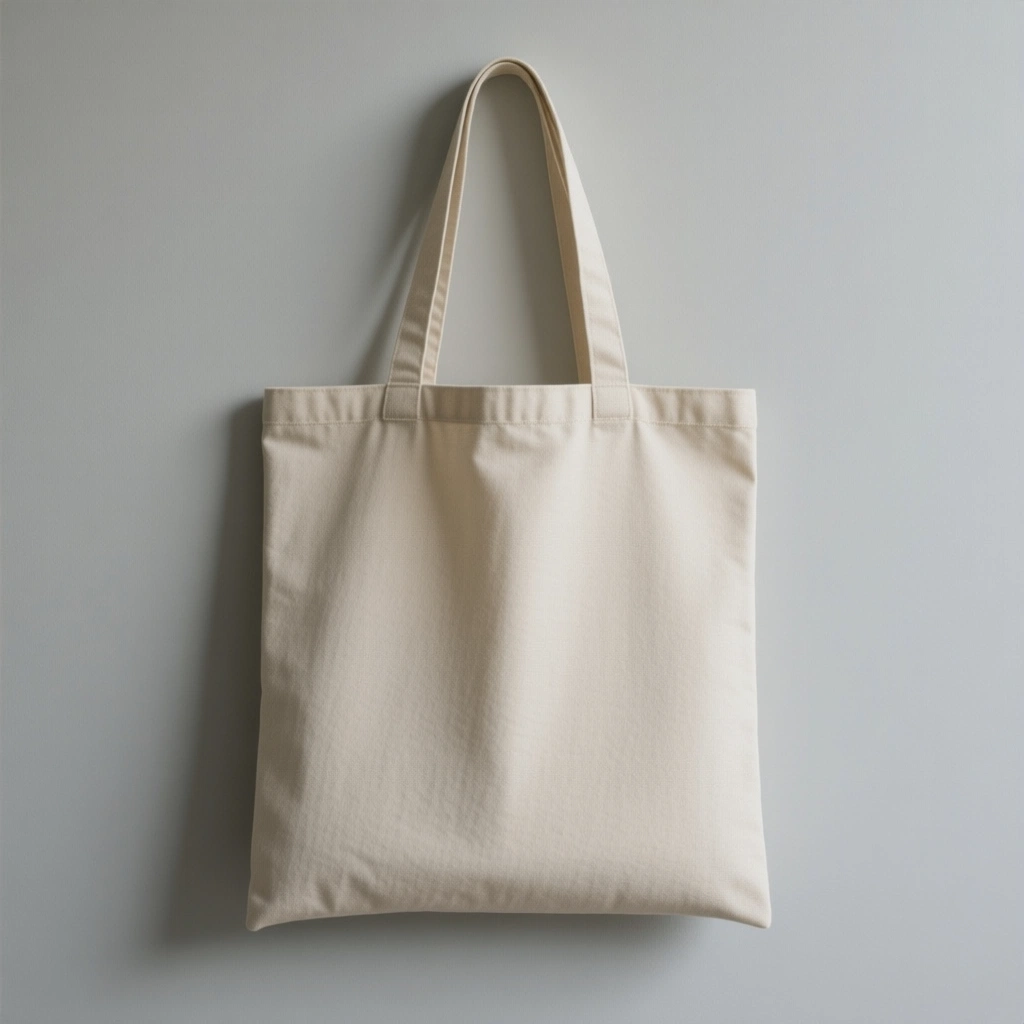
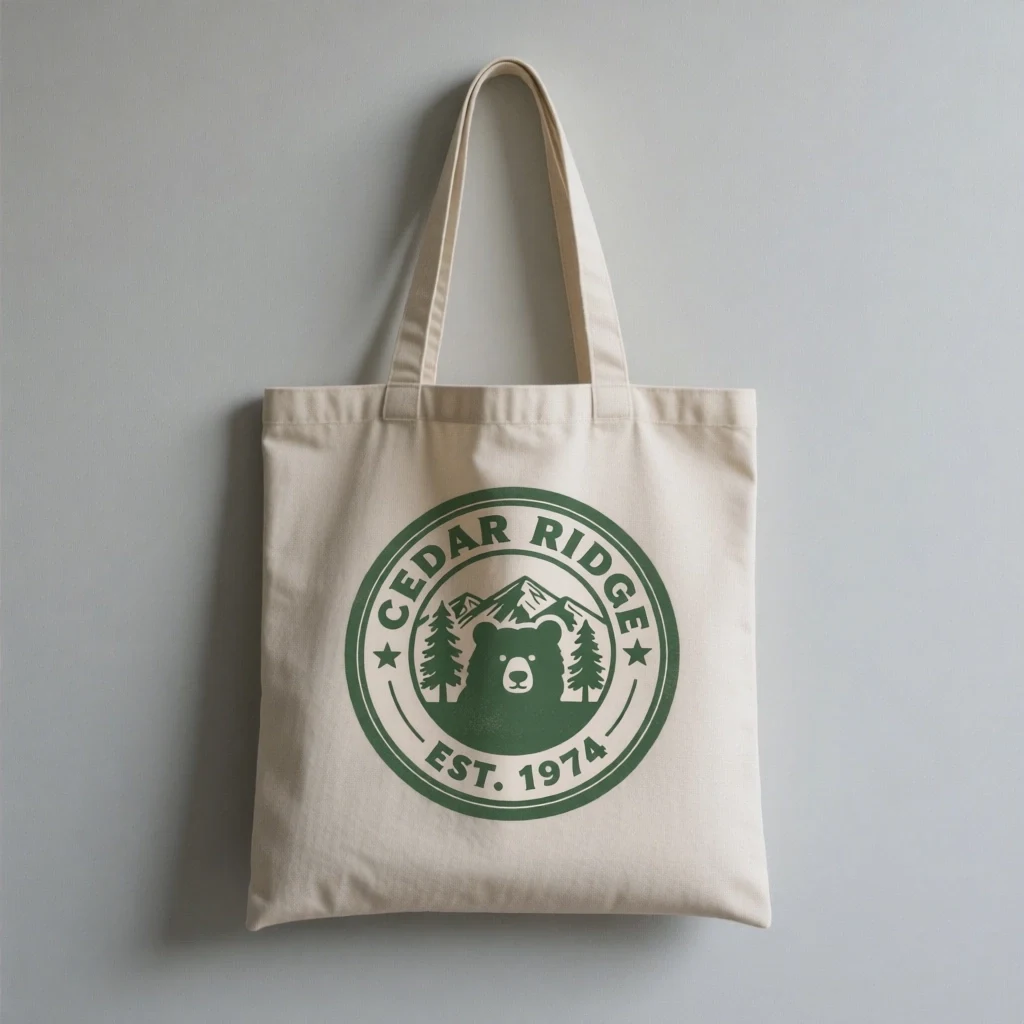
Source image before the badge artwork onto merchandise edit
Canvas tote mockup with a national park badge printed on it by Qwen Image Edit Plus

object merge

Badge artwork onto merchandise

Prompt: Print the national park badge from the second image onto the front of the tote bag in the first image, centered, following the fabric's slight wrinkles and folds with a realistic screen-print texture. Keep the bag's shape, canvas color, straps, wall, and lighting exactly the same, and keep the badge artwork and text crisp.

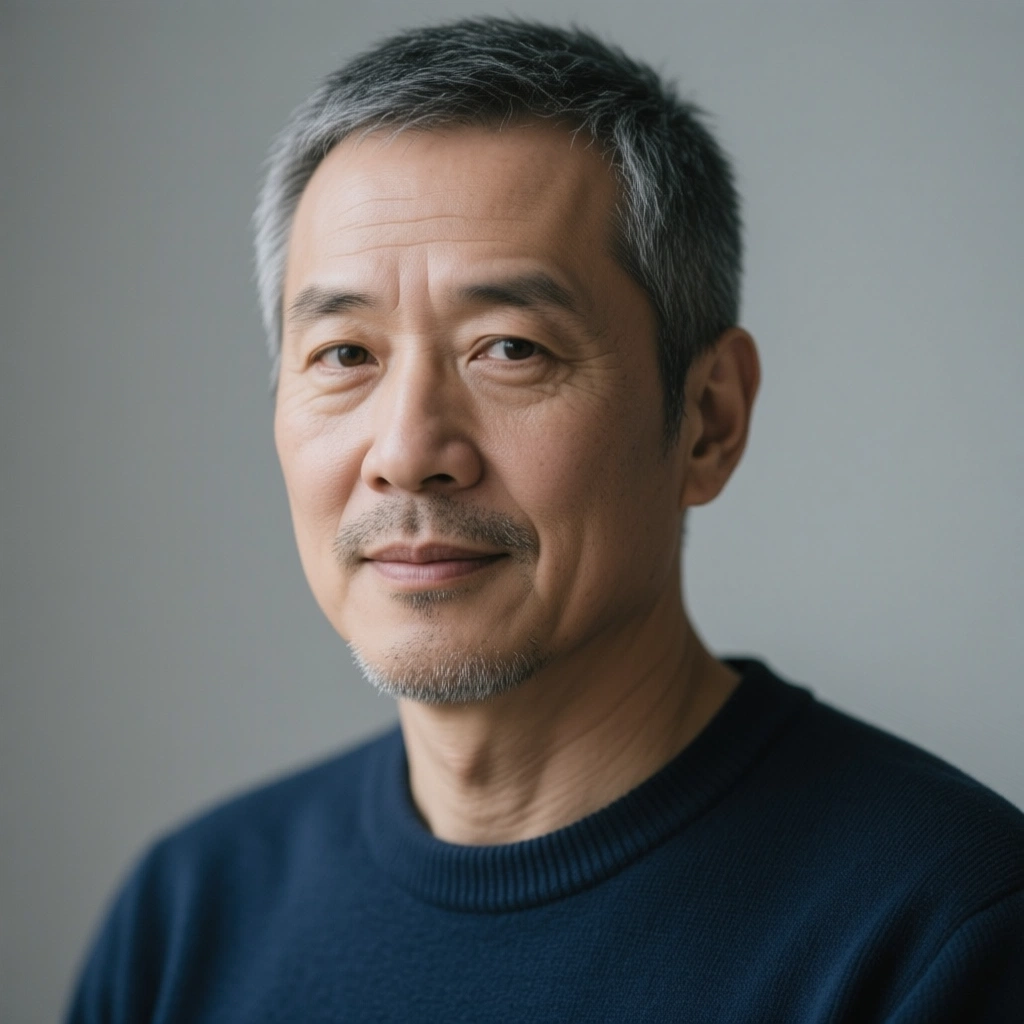
Source image before the material reference onto clothing edit
Studio portrait edited with Qwen Image Edit Plus to change the sweater to a green plaid fabric from a reference image

multi-image edit, face preserved

Material reference onto clothing

Prompt: Change the man's navy sweater in the first image to a shirt made from the green plaid fabric in the second image, with the plaid pattern following the folds and seams naturally. Keep his face, gray hair, stubble, pose, expression, and the soft gray studio background exactly the same.

Source: webtreats — CC-BY 2.0 via Flickr.

What turns an edit into a production edit?

Qwen Image Edit Plus is Alibaba's 20B-parameter MMDiT editing model — bilingual in Chinese and English, and dual-mode, meaning one instruction can combine appearance changes (color, material, finish) with semantic ones (replace this object, swap this label). Style preservation is explicit: brand elements that are not named in the prompt carry over unchanged.

On RenderFlow AI, the canvas accepts up to three input images — a packshot plus label flats, logos, or lifestyle references — and renders at exact width and height settings from 256 to 1536 pixels. At 4 credits per edit with JPEG, PNG, and WebP export, it sits between the everyday editors and the premium Kontext tier.

Why packaging and layout work moves to Qwen Image Edit Plus

Labels and copy survive close reading. Precise bilingual text editing is the headline feature: a new product name, flavor line, or regulatory string lands on the packshot in a matching treatment, in Chinese, English, or both. That is the difference between a mockup and an asset legal can approve.

Labels and copy survive close reading. Precise bilingual text editing is the headline feature: a new product name, flavor line, or regulatory string lands on the packshot in a matching treatment, in Chinese, English, or both. That is the difference between a mockup and an asset legal can approve.

One instruction, two kinds of change. Dual-mode editing lets a single brief alter the label's wording and the bottle's finish together, instead of splitting the job across tools. Fewer passes means fewer chances

One instruction, two kinds of change. Dual-mode editing lets a single brief alter the label's wording and the bottle's finish together, instead of splitting the job across tools. Fewer passes means fewer chances for the composition to drift.

Output arrives at spec size. Width and height set independently from 256 to 1536 pixels, so the render matches the marketplace slot, hero banner, or listing template directly — no post-crop, no resize softening the type you just fixed.

Output arrives at spec size. Width and height set independently from 256 to 1536 pixels, so the render matches the marketplace slot, hero banner, or listing template directly — no post-crop, no resize softening the type you just fixed.

References make the brief concrete. Three input slots let you attach the label flat and the logo alongside the packshot, so the model matches real artwork instead of approximating it from adjectives.

References make the brief concrete. Three input slots let you attach the label flat and the logo alongside the packshot, so the model matches real artwork instead of approximating it from adjectives.

Production edits that justify the Plus tier

  • Advanced AI image editing
  • Product photo variation
  • Text-aware image edits
  • Marketing visual updates

Running a packaging-grade edit in Qwen Image Edit Plus

Load the packshot, then its artwork

Upload the product or layout image as Input Image 1, then enable Inputs 2 and 3 for the material the edit should incorporate — the new label flat, the logo lockup, a lifestyle reference. Concrete artwork in the inputs beats describing artwork in the prompt.

Brief it like a production ticket

State the surface, the copy, and the finish in one instruction: "replace the front label with image 2, keep the foil stamp and the bottle shape." Quote label strings verbatim in whichever language they print — the model is bilingual by design.

Set Width and Height to the slot, not the default

Both dimensions adjust independently from 256 to 1536 pixels (1024×1024 default). Match the marketplace image slot or banner placement exactly so the deliverable needs no resizing after render.

Export for the destination and pin the Seed

Choose PNG for design handoff, JPEG for listings, WebP for web delivery. Pinning the Seed once a result is approved lets you rerun the same brief across a SKU line with matched treatment.

Drop to standard Qwen Image Edit for simple fixes

A single-image copy tweak with no size spec does not need the Plus tier — the standard model does it for 3 credits. Plus earns its keep when multiple inputs, exact dimensions, or packaging-grade text are in play.

Frequently Asked Questions

What does dual-mode editing mean on Qwen Image Edit Plus?

The model handles appearance-level changes (color, texture, material, finish) and semantic changes (replacing objects, swapping labels, altering scene content) within a single instruction, while preserving the style of everything the instruction does not name.

Can it edit both Chinese and English label copy on packaging?

Yes — the 20B model is bilingual by design. Quote each string verbatim in its language and describe the treatment ("same condensed type, white on black"), and the new copy renders into the packshot rather than overlaying it.

What output dimensions can I set on Qwen Image Edit Plus?

Width and height are set independently anywhere from 256 to 1536 pixels, with 1024×1024 as the default. That covers marketplace slots, listing images, and social placements at exact spec.

How many input images does Qwen Image Edit Plus accept?

Up to three: one required base image plus two optional references. Typical production use is a packshot as the base with the label flat and logo lockup as references.

When should I upgrade from Qwen Image Edit to Edit Plus?

Upgrade when the job needs more than one input image, exact output dimensions, or text and layout precision that must survive scrutiny — packaging, key art, branded templates. Single-image copy fixes on flexible sizes are fine on the 3-credit standard model.

Why does tiny body text still come out wobbly?

Type below a renderable size in the frame is a hard case for every current image editor. Crop tighter on the text region, shorten the string, or enlarge the text area in the output size; headline-scale copy is where the model is reliable.