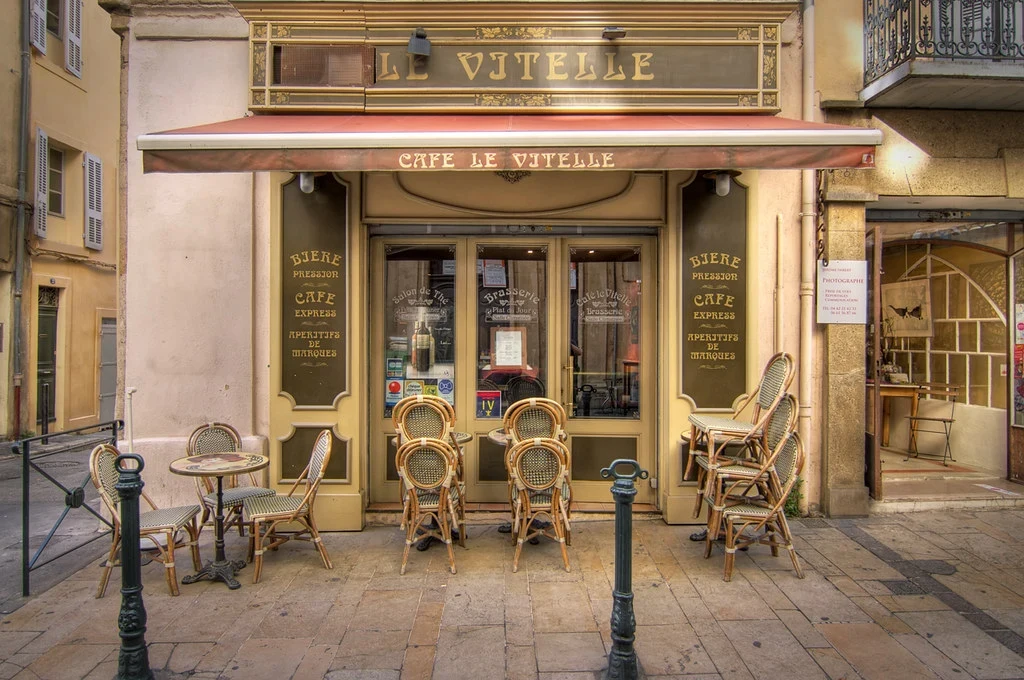
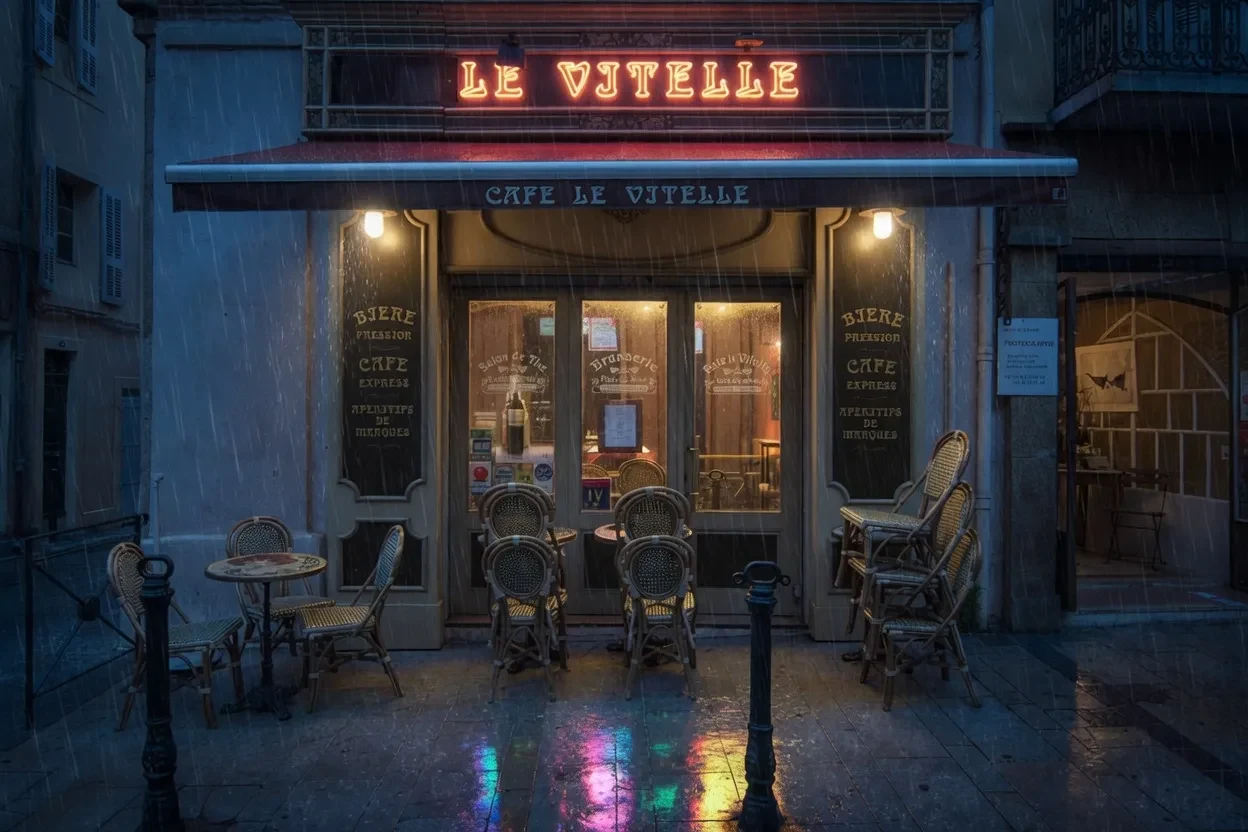
Creative transformation
Cinematic day-to-night edit
Prompt: Transform the daytime cafe into a rainy neon night scene with warm windows, wet reflections, deep blue shadows, and the original architecture.
xAI creative quality editor
Use it when the edit is not a small fix, but a creative reframe, relight, extension, or style shift.
Your generated image will appear here.
Enter a prompt and click 'Generate Image' — or start from an example:
Examples
Drag the handle to compare each source and result, or open the viewer for a closer look.
Creative transformation
Prompt: Transform the daytime cafe into a rainy neon night scene with warm windows, wet reflections, deep blue shadows, and the original architecture.
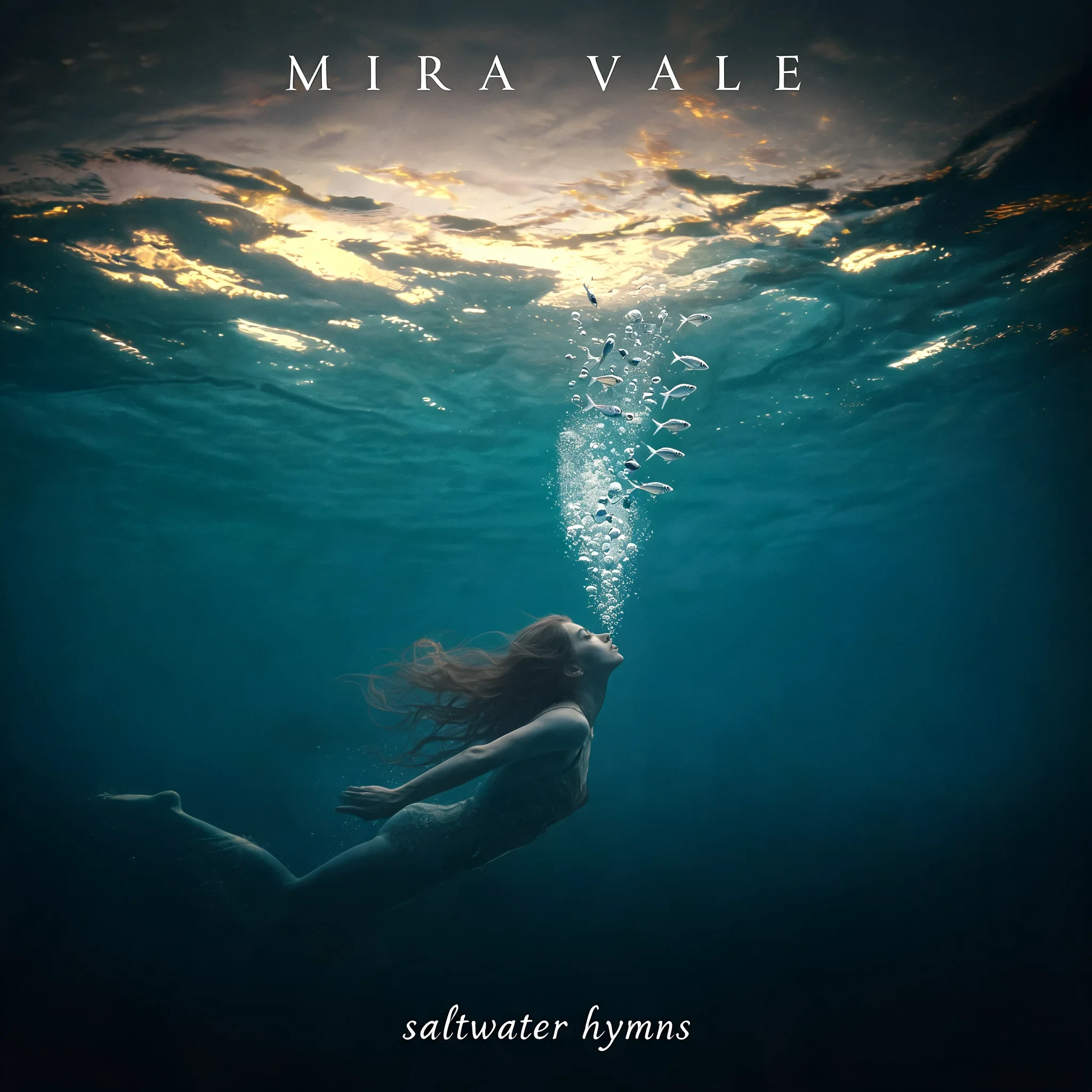
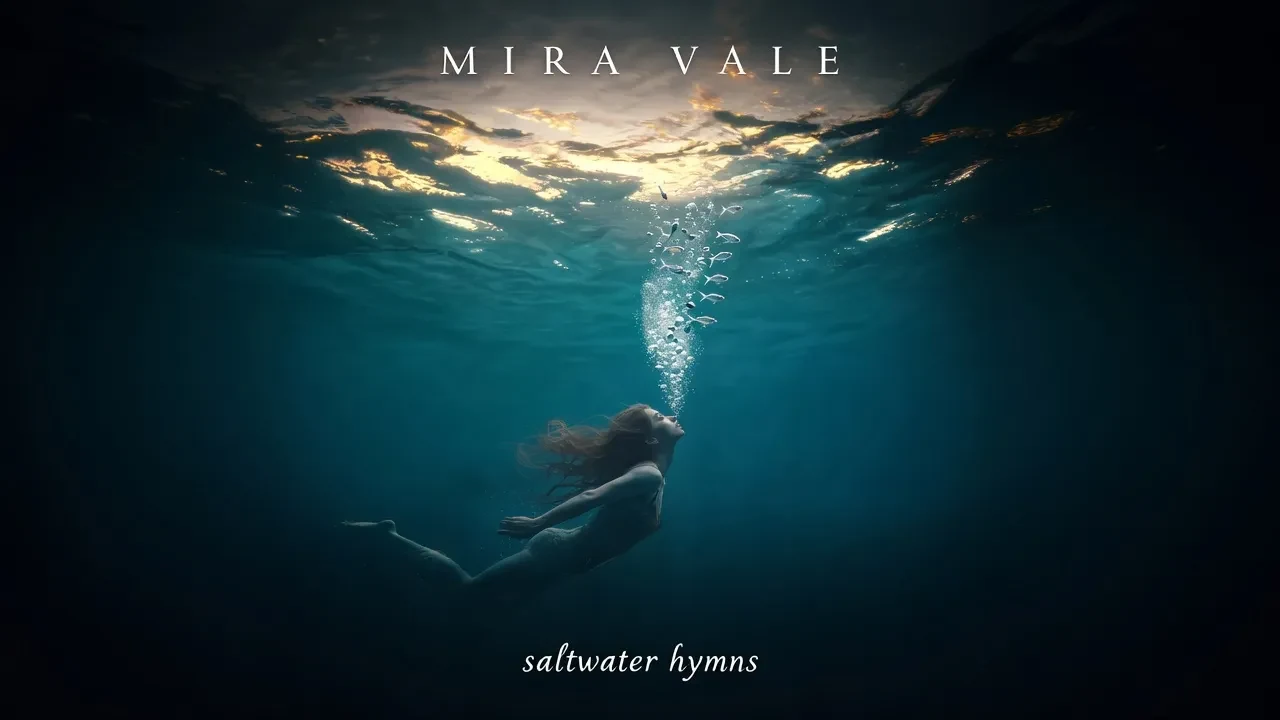
Aspect-ratio reframe
Prompt: Extend the square album cover to a 16:9 banner, continuing the underwater scene and rebalancing the swimmer, artist name, and title.
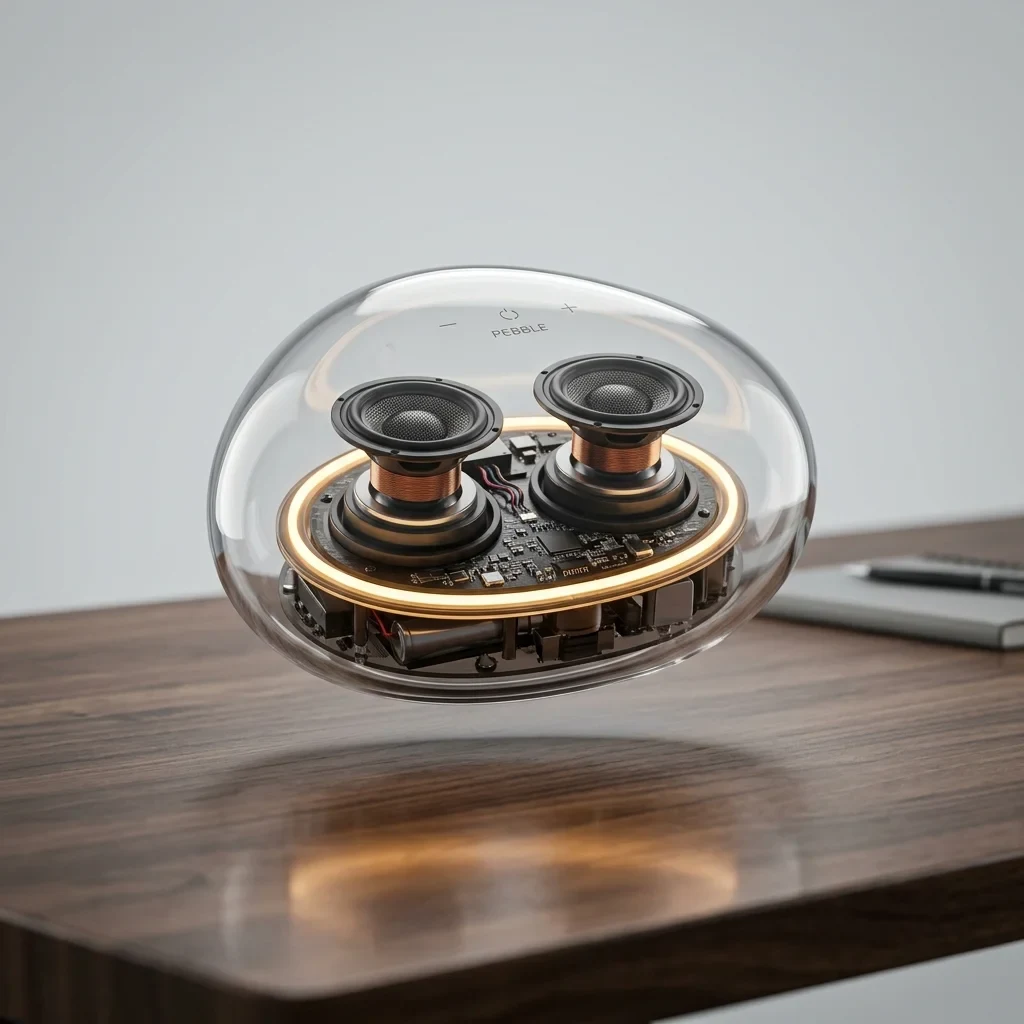

Commercial lighting
Prompt: Add a dramatic dark background, warm rim light, soft overhead spotlight, and polished reflection while preserving the speaker design.

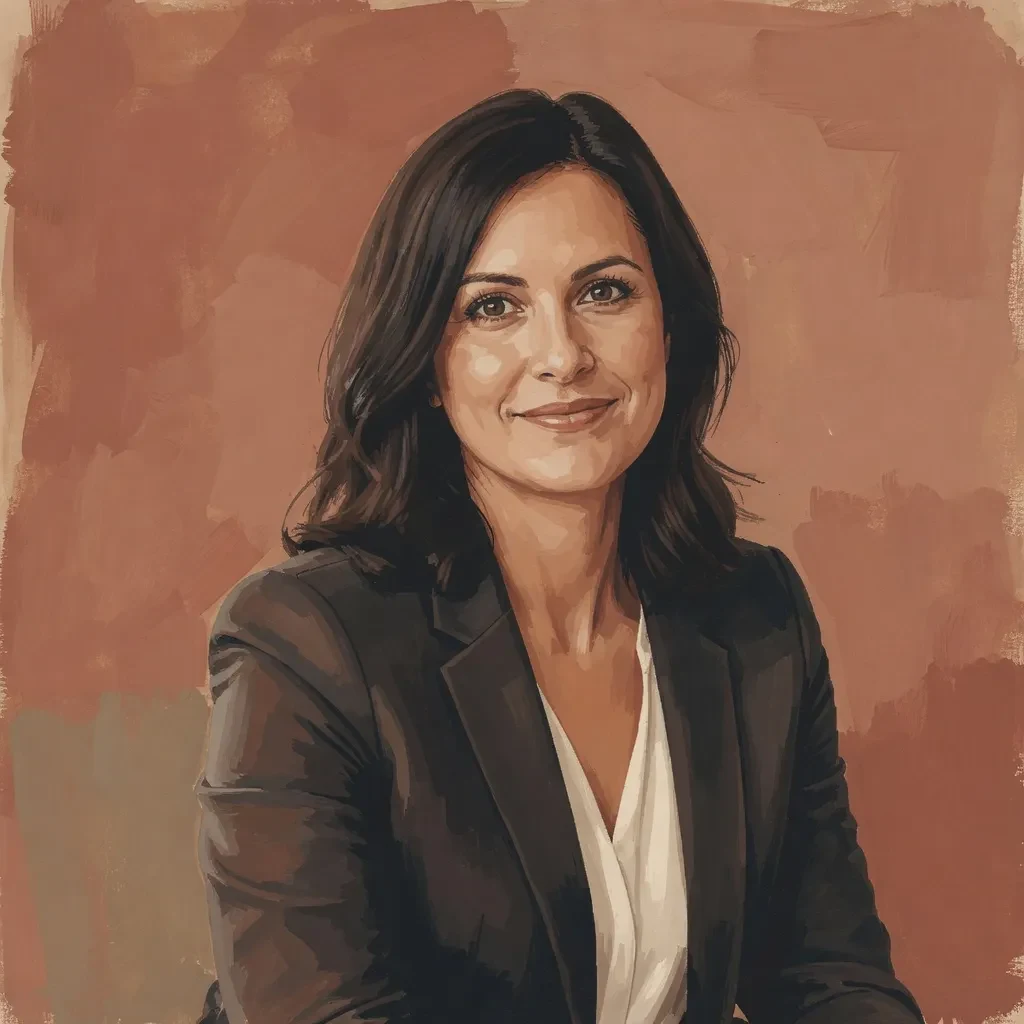
Portrait restyle
Prompt: Restyle the portrait as a gouache editorial illustration with warm color blocks and a terracotta background. Keep the pose, features, and expression recognizable.
Model context
Grok Imagine Quality Edit is strongest when the edit should visibly change the mood: day to night, square to banner, studio to premium campaign, or photo to editorial illustration.
It is less surgical than a text-replacement editor. Its value is creative transformation with enough source preservation to keep the brief recognizable.
Model strengths
Use it when the edit is not a small fix, but a creative reframe, relight, extension, or style shift.
Prompt guide
State the transformed setting, lighting, color, and atmosphere before small object details.
Tell the editor which architecture, person, product, or composition must remain recognizable.
When extending, say how the new width or height should continue the scene.
Review whether the transformation preserved the important identity, not whether every pixel stayed fixed.
No. It is better for creative transformations, relighting, reframing, and style shifts than tiny text or label repair.
Yes, it is a good fit for turning square or portrait concepts into wider campaign banners when the prompt describes the continuation.
Name the source elements that must remain recognizable: product shape, architecture, pose, face, or composition.
Use GPT Image 2 Edit for exact copy and Qwen Image 2.0 Edit for bilingual layout edits.